ASUS
ASUS ProArt PA32QCV
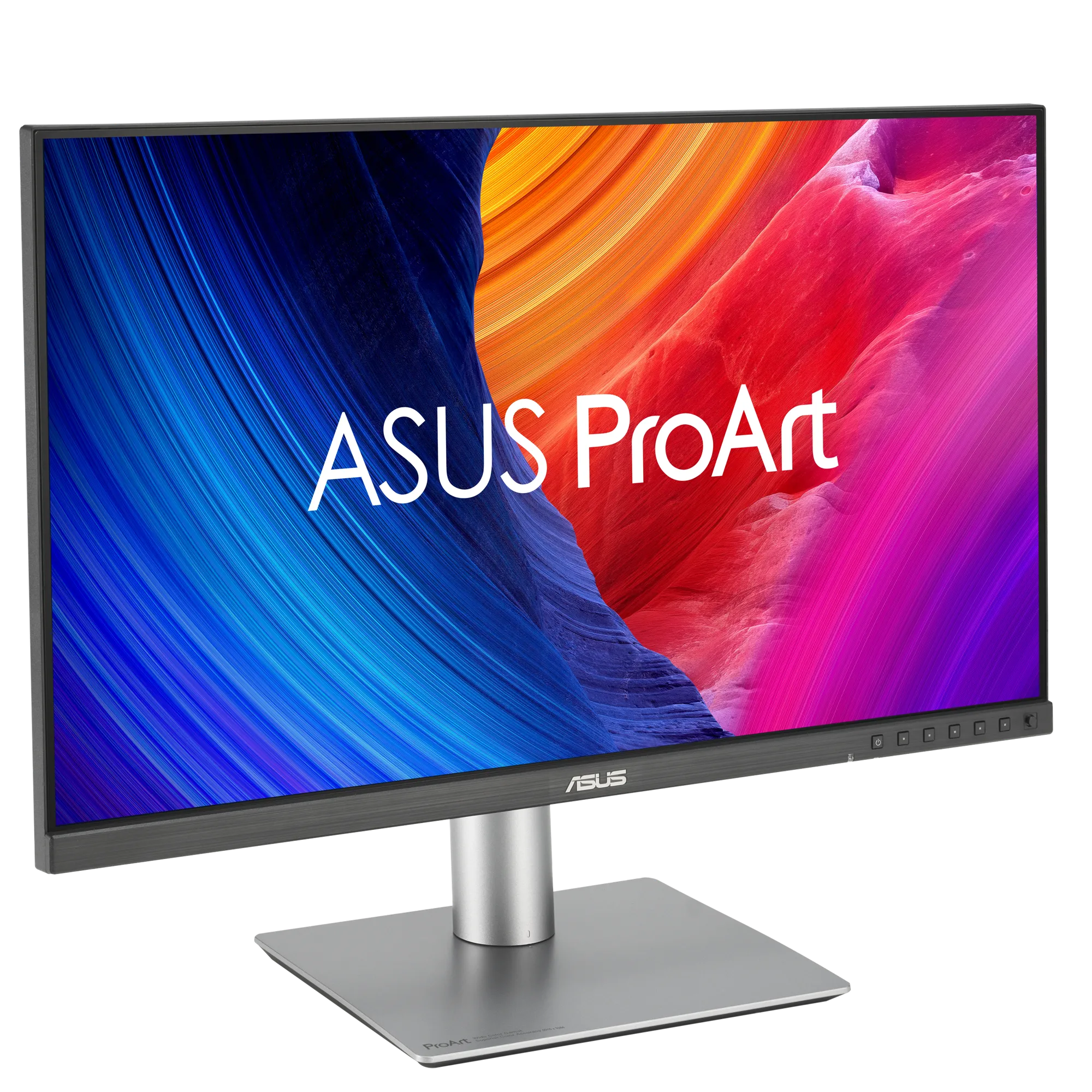
ASUS · PA32QCV
ASUS ProArt PA32QCV Review: The 6K Value Champion
By Parish Khan ·
The most praised Mac monitor by reviewers of the last five years. 6K at 31.5 inches for $1299 is very rare in the Mac market. Large display with Retina density is now a better purchase for anyone rather than a studio display. The best feature of this monitor is Calman Verified factory calibration, dual Thunderbolt 4 with KVM, and the anti glare coating.
As an Amazon Associate, RetinaDesk earns from qualifying purchases.
Front 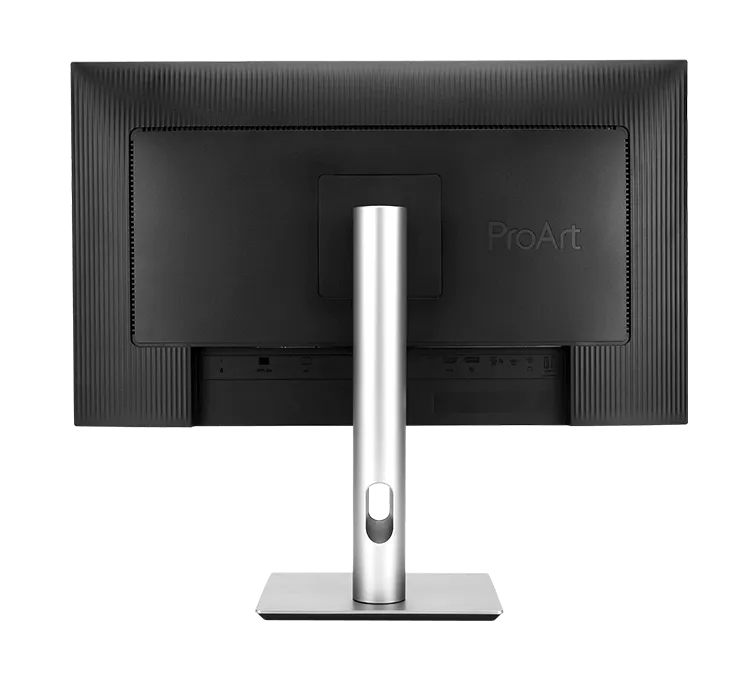 Back & ports
 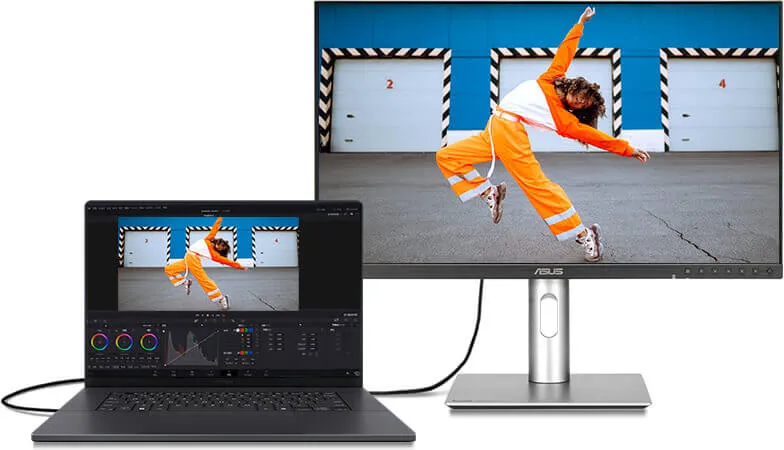 On the desk
 Pros
- Full 6k resolution at 31.5 inches at the 218 PPI Retina density
- Price is only $1299 retail which is about a quarter of what 6K for Mac used to cost
- Factory calibration verified by Calman with Delta E < 2
- Dual Thunderbolt 4 ports with 96W Power delivery and daisy chain support
- 10 bit color with 98% DCI P3 and 100% sRGB coverage
- KVM with integrated hardware for connecting two machine without removing cables
- Anti glare coating with a matty finish
- Ergonomic stand with tilt adjustments. Swivel, pivot and height adjustments also included
Cons
- Unfortunately there is no Mini LED. Standard LED backlight limits the HDR dynamic range
- DisplayHDR 600 only provide mid level HDR performance.
- No built in webcamera
- Speakers are very basic and not very good for everyday use
Best for
- Mac users who wants a Pro Display XDR like monitor but in budget
- Creative professionals who needs big display but at Retina density
- Developers and designers who want single big monitor instead of mulitple setups
- Final Cut Pro and Motion editors who don't need HDR that much
- Cross platform Mac + Windows users who need KVM
Skip if
- People who need full HDR support should get Studio Display XDR
- If your budget is limited to only $1000 then get the BenQ MA270S 5K
- User who wants all in one desktop with webcam + speakers should go for the Studio Display
The verdict, up top
In 2019, if you wanted a 6K monitor at 32 inches on a Mac then you had no choice but to pay Apple $4999 for a Pro Display XDR. In 2025, ASUS released their first 6K champ the PA32QCV at only $1299. And quietly reshaped what a 6K monitor for Mac means. This is now the most recommended 6K monitor for every Mac users.
The density argument
31.5 inches with 6016 × 3384 resolution means 218 PPI display density. This is the exact Retina density macOS was designed for. It same as the Studio Display and also same as every MacBook Pro’s built in screen.
On a 27 inch 5K (Studio Display, MA270S, PA27JCV) you get this same density but on a smaller canvas. On the PA32QCV you get exact same text sharpness but with around 40% more screen. For power users who spends their workday side by side in Final Cut Pro, Xcode, Figma or any tool that can be benefited from multi screen setups. That extra canvas will completely change the way you work.
The compromise (there is one)
This is not the a Pro Display XDR replacement for HDR content. The PA32QCV uses a conventional LED backlight. There is no Mini LED. SDR brightness is only 400 nits and at peak HDR is 600 nits. It is VESA DisplayHDR 600 certified with HDR10 metadata support. Which is functional for general work and HDR content editing. If your work setup is required HDR grading for theatrical or streaming delivery then you should go for the Pro Display XDR monitor.
For general work like Final Cut editing, photo editing, design, development, writings the PA32QCV panel is not very different from the Pro Display XDR. Colour is very accurate with Calman Verified Delta E < 2. P3 coverage is 98%. Text rendering is retina ready.
One more compromise, and this one is the coating. ASUS went heavy matte here. Brilliant in a bright room, but it does flatten the picture a little. If what you really wanted was the glass front of the Pro Display XDR then the Kuycon G32P is the only 32 inch 6K that still has one.
Thunderbolt 4 and the dock problem
It has two Thunderbolt 4 ports. One is upstream to your Mac 96W PD, support full 6K display and also daisy chain capable. One is downstream. Also included HDMI 2.1 and DisplayPort 1.4 inputs. Those inputs will let you connect a secondary monitor. Hardware level KVM can be used for two machine work setup. If you’re unsure whether your Mac can actually drive a second 6K via daisy chain or not then please check the per chip caps in our external display support tool.
Only One cable is required from a MacBook Pro to deliver a 6K display, 96W charging, peripheral hub, and daisy chain to a second TB4 device. This feature replaces the need of standalone TB4 dock. A 6K monitor with full dock functionality at $1299 is extreamly rare.
One note for Thunderbolt 5 machine owners. The LG UltraFine evo 32U990A is the first 6K monitor with native TB5 and it can daisy chain a second full 6K display which TB4 bandwidth simply can’t. If your Mac has TB5 ports and the LG is on sale then it deserves a serious look before you order the ASUS.
The Mac Mode preset
ASUS ships the PA32QCV with a Mac mode preset calibrated for macOS Displays. You can select it from the OSD and the panel locks to the following settings:
- Colour temperature matching macOS default target
- Gamma curve matched to macOS sRGB rendering
- P3 gamut with Mac appropriate white point
For non colour critical users this means plug it in then pick the Mac mode and forget. Text and colour match exactly like macOS default rendering.
Who should buy it
- Budget shoppers who really wanted a Pro Display XDR but couldn’t spend $4999
- Creative professionals who needs Retina density with large display
- Developers and designers who like to use a large screen instead of multiple monitors
- Users who want to replace their 27 inch 4K non Retina monitor with Retina density
- Final Cut Pro and Motion video editors who aren’t doing HDR content
- Mac Studio users who want the best value large monitor in 6K resolution.
Who should buy something else
- If HDR film is a must then look at the Apple Studio Display XDR with its 2000 nit Mini LED backlight
- If budget is limited to just $1000 then get the BenQ MA270S 5K
- If your Mac has Thunderbolt 5 and the LG UltraFine evo is sitting at its $1299 sale price then the LG offers TB5 and higher contrast for the same money
- Users who like alrounder display with speakers, camera and stand should get a Studio Display
- Work in a dark room and hate matte coatings? The glossy Kuycon G32P costs about $400 more and gives you glass plus 2000:1 contrast
The bottom line
The ASUS ProArt PA32QCV is the most recommended 6K Mac monitor most people should buy in 2026. It gives you about 90% of what the Pro Display XDR did for 26% of the price. And in practical daily use the gap is almost invisible. It is our pick for best 6K under $2000. And it is the price we will measure any future sub $2000 6K monitor against.
For a complete ranking against the alternatives, see the best 6K monitors for Mac Studio guide.
Ready to buy the ASUS ProArt PA32QCV?
Check current price and availability on Amazon. As an Amazon Associate, RetinaDesk earns from qualifying purchases.
As an Amazon Associate, RetinaDesk earns from qualifying purchases.
Independent lab measurements
What the ASUS ProArt PA32QCV actually measures
ASUS publishes 400 nits, 1500:1 and 98% DCI-P3 on the spec sheet. Four independent labs have since put instruments on the panel, and most of what they found beats those numbers — with one caveat on grayscale worth reading before you buy. Every figure below is attributed to the lab that measured it.
Maximum SDR brightness
649 nits
+62% vs ASUS's 400
4 labs · 600–700
Primary: Tom's Hardware
Native contrast ratio
1,579:1
+5% vs ASUS's 1,500:1
3 labs · 1,450–1,579:1
Primary: Tom's Hardware
DCI-P3 coverage
99%
+1% vs ASUS's 98%
3 labs · 98–100%
Primary: migovi
HDR peak brightness
645 nits
+8% vs ASUS's 600
2 labs · 645–682
Primary: Tom's Hardware
Measured colour gamut coverage
Measured ASUS claims
Claimed 100% · CineD and PCWorld also measured 100% · migovi
Claimed 98% · CineD measured 100%, PCWorld 98% · migovi
CineD 88%, PCWorld 87% — not a claimed figure · migovi
migovi
Brightness & contrast
- Black level Maximum backlight, native mode
- 0.411 nits Tom's Hardware
- Contrast, calibrated to 200 nits
- 1,603:1 Tom's Hardware
- 16-point ANSI contrast
- 1,554:1 Tom's Hardware
- Contrast with dynamic dimming
- ~3,000:1 Tom's Hardware
- Minimum brightness 400-step backlight slider
- 10 nits Tom's Hardware
Colour accuracy
- Grayscale error, calibrated Native mode after RGB slider calibration
- 1.30 ΔE Tom's Hardware
- Grayscale error, sRGB preset
- 2.86 ΔE Tom's Hardware
- Colour error, Display P3 preset
- 1.56 ΔE Tom's Hardware
- Average error out of box Native mode, max 1.81
- 0.65 ΔE migovi
- White point Against a 6500 K target
- 6,700 K CineD
HDR performance
- HDR white luminance
- 644.9 nits Tom's Hardware
- HDR black level
- 0.066 nits Tom's Hardware
- HDR sequential contrast Dynamic dimming enabled
- 9,771:1 Tom's Hardware
- Real-world HDR peak
- 682 nits PCWorld
Motion & uniformity
- Response time, black to white
- 16 ms Tom's Hardware
- Absolute input lag
- 56 ms Tom's Hardware
- Black-field uniformity deviation Deviation from centre, no uniformity compensation
- 9.44% Tom's Hardware
Accuracy by picture mode
Measured by Tom's Hardware
| Mode | Grayscale ΔE | Gamma | Gamut ΔE | Gamut volume |
|---|---|---|---|---|
| sRGB | 2.86 | 2.22 | 1.41 | 99.38% |
| Adobe RGB | 3.40 | 2.22 | 1.88 | 88.22% |
| Display P3 | 3.66 | 2.21 | 1.56 | 99.58% |
| Cinema P3 | 3.42 | 2.59 | 1.52 | 99.48% |
| BT.709 | 3.47 | 2.40 | 1.53 | 99.53% |
| BT.2020 | 3.17 | 2.41 | 2.66 | 72.72% |
| Native, calibrated | 1.30 | 2.21 | 0.77 | 99.70% |
The roughly 3ΔE grayscale average across presets is the one weak result in this data set. Tom's Hardware attributes it to a slightly green white point on what it believes was an early or pre-production sample, noting other ProArt units it has measured land closer to 1ΔE, and that calibrating Native mode with the OSD's RGB sliders drops the error to an invisible 1.30ΔE. Gamma tracks its target in every mode.
Where these numbers come from
RetinaDesk does not run a photometry lab. Every figure above is an instrumented reading published by the lab named beside it, collected here so you can compare them against ASUS's claimed specification in one place. Each lab's full review is linked below, so you can check any number at its source. Our own testing of the ASUS ProArt PA32QCV is hands-on use on Apple silicon — described in how we test.
- Tom's Hardware
Christian Eberle · Portrait Displays Calman
- CineD
Datacolor Spyder Pro 2024
- migovi
Datacolor SpyderX Elite
- PCWorld
Colorimeter (model not disclosed)
Compare the ASUS ProArt PA32QCV
Head-to-head with the monitors most shoppers cross-shop against.
Pick any other monitor from our catalog and see the spec-by-spec matchup instantly.
Before you buy
Check your Mac and your cable.
Three quick checks that determine whether the ASUS ProArt PA32QCV will actually run at its full resolution on your specific Mac.
Mac PPI Calculator & Retina Checker
See how the 6K panel at 32" will actually render on macOS, and how it compares to Retina targets.
Open calculatorMac Cable Bandwidth Calculator
Confirm your USB-C, HDMI, DisplayPort or Thunderbolt cable can carry 6K at 60Hz from your Mac.
Check my cableMac External Display Support
Check whether your exact Apple Silicon Mac (M1 through M6) can drive the ASUS ProArt PA32QCV at native resolution.
Look up my Mac