BenQ
BenQ MA270S

BenQ · MA270S
BenQ MA270S Review: The $999 Studio Display Killer
By Parish Khan ·
The value for money 5K monitor for Mac. BenQ matches the Studio Display's 218 PPI display density at only $999. It has height adjustable stand, dual Thunderbolt 4 with 96W charging and daisy chain support. DisplayHDR 400 at 70 Hz. Smart KVM and a Mac tuned color profile. Sadly there is no camera or good speakers. but you are saving $600.
As an Amazon Associate, RetinaDesk earns from qualifying purchases.
Front 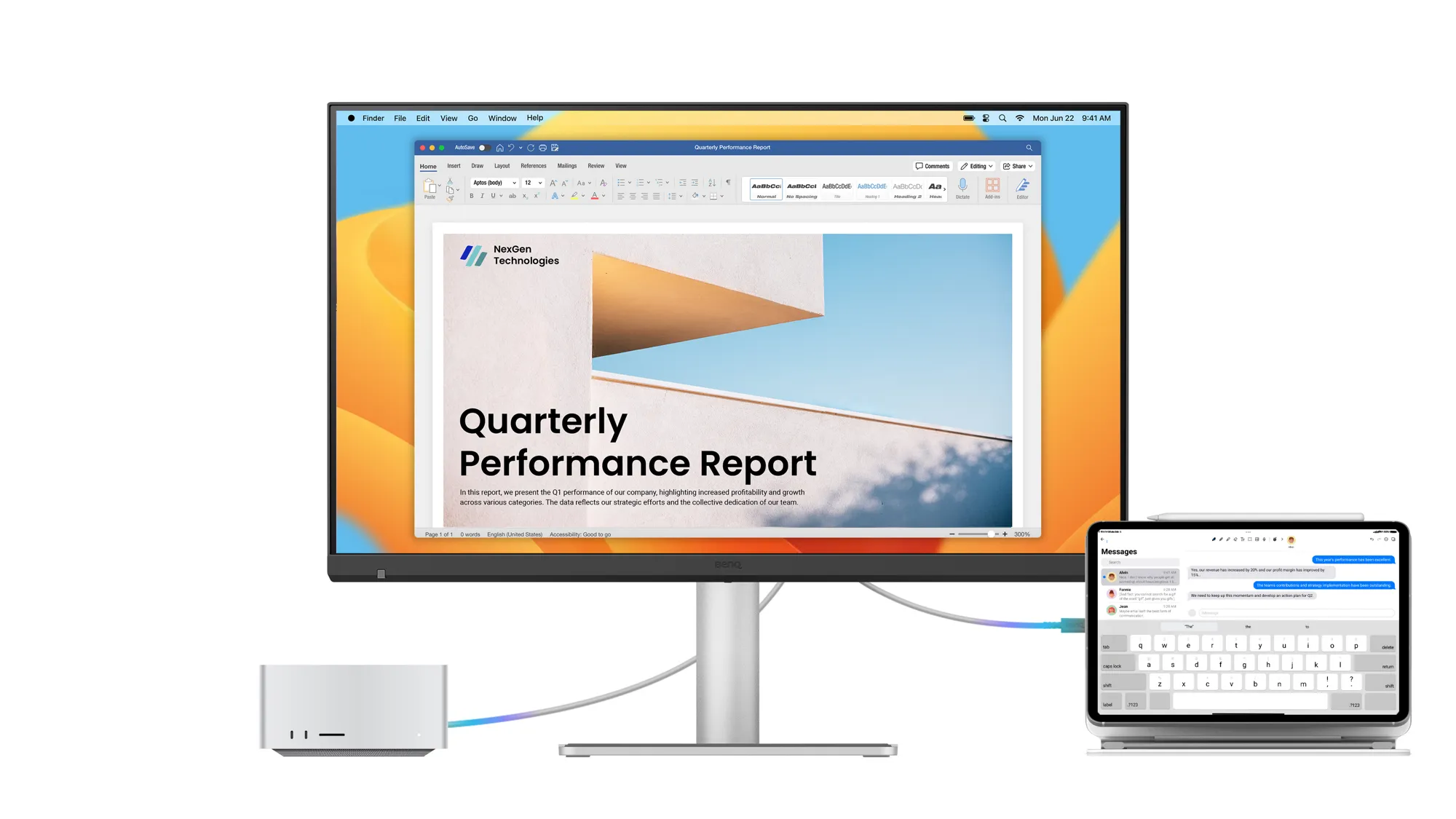 On the desk
 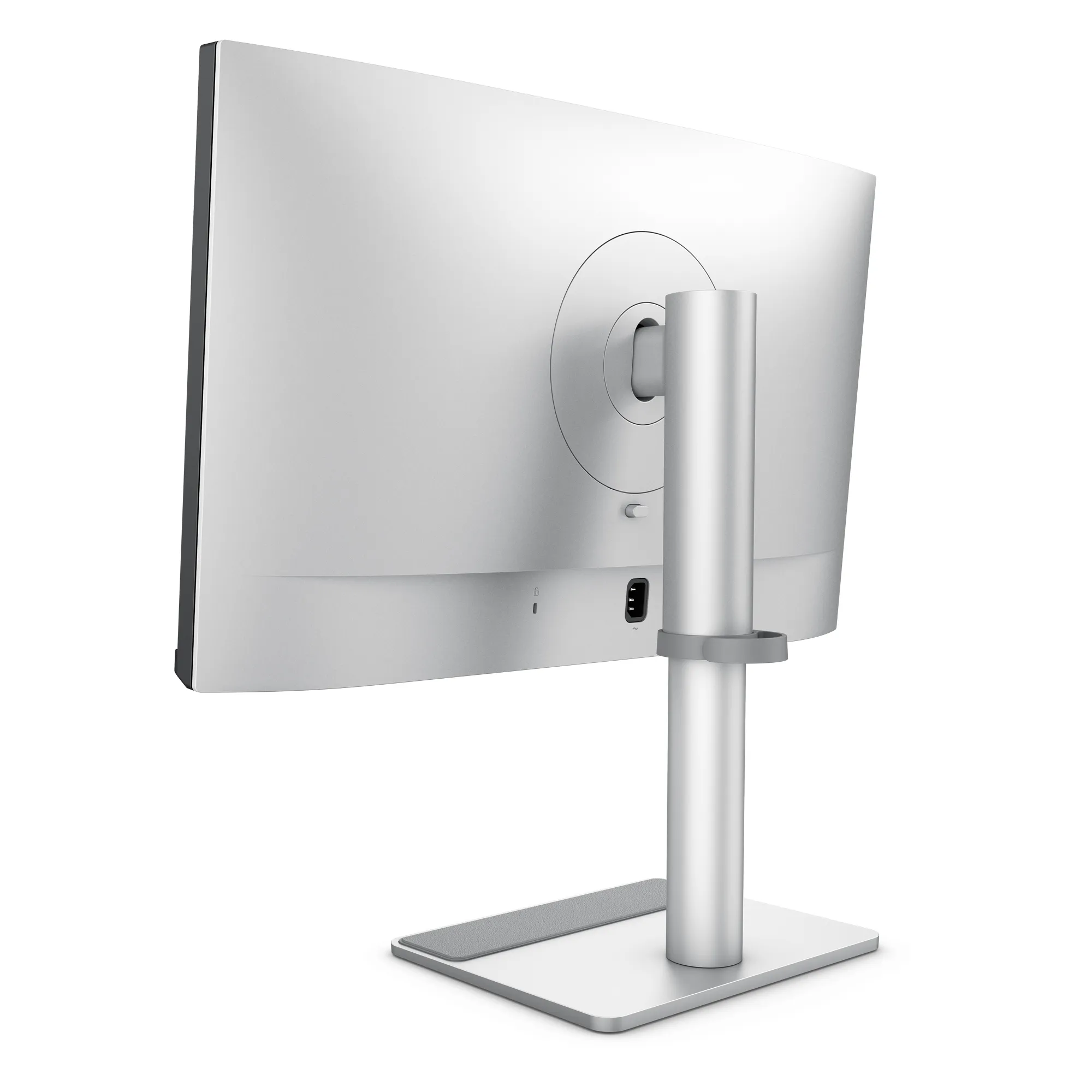 Back & ports
 Pros
- Native 5120 × 2880 resolution at 27 inches with the same 218 PPI Retina density same as Studio Display
- Nano Gloss surface with 450 nit peak brightness and 2000:1 contrast
- 99% Display P3 and 99% sRGB with VESA DisplayHDR 400 and HDR10 support
- Very uncommon 70 Hz refresh rate in the 5K Mac class
- Two Thunderbolt 4 port. You can connect with 96W upstream and 15W downstream. And daisy chain to a second 5K
- Built in Smart KVM for two monitor switching on the same shared keyboard and mouse
- It has full ergonomic stand with 150mm height. It also has tilt, swivel, pivot adjustments and VESA 100×100
- BenQ Display Pilot 2 has iKeyboard Control and macOS native integration
Cons
- No built in webcamera which can be a deal breaker for office setups
- Two 3W speakers system are usable but nowhere near the Studio Display's six speaker system
- Daisy chained dual 5K needs a Mac that drives two displays, so base M1 and M2 chips are out
Best for
- Macbook Pro users who want Retina level density without breaking the banks
- User who already has desktop speakers and a webcam and don't care about integrated one
- Creative freelancers with tight budgets but needs P3 color accuracy
- Pro and Max chip Mac users, M1 Pro onwards, who want a dual monitor setup from one port
Skip if
- Office use where video calls with build in camera really matters
- Base M1 or M2 Mac users planning a dual display setup via the daisy chain
- Users who prioritize premium industrial design
The verdict, up top
BenQ shipped the monitor Apple users wanted. A monitor with 218 PPI panel, 99% Display P3 colour and single cable Thunderbolt charging experience is something any Mac user want. Plus a real height adjustable stand included in the box. Also dual Thunderbolt 4 ports for daisy chaining. Two extra USB-C charging ports that can be used to charge phone and tables. Price is only $999. This monitor cost $600 less than the Apple Studio Display.
The panel
BenQ make this monitor same as 5K IPS panel that anchors the Studio Display. Resolution is also same 5120 × 2880 at 27 inches. It is hitting macOS’s 218 PPI retina density. Text is super sharp and matches to a MacBook Pro’s built in Retina display.
The monitors color is calibrated for Display P3 at 99% coverage. It also comes with a dedicated Macbook mode that matches macOS’s default rendering pipeline. Select M-book from the OSD and every color on screen autometically match the Studio Display color. It is good for almost everything except colour critical work (where the BenQ PD2730S earns its premium), the MA270S’s calibration is almost as same as from Apple’s.
BenQ added Nano Gloss treatment to the panel. It is a subtle anti reflective coating that reduces glare without the matte softening. It sits between the Studio Display’s standard glass and its own $300 nano texture option in practice.
The stand
Apple charges $400 for a height adjustable stand on the Studio Display. But BenQ includes one in the box. It has 150mm of height travel, full 90° rotation for portrait orientation, and the standard tilt adjustments. If you’ve ever done serious work at a non adjustable desk, then you know how much this matters.
Thunderbolt 4 and daisy-chain
This monitor has dual Thunderbolt 4 ports. One is upstream to your Mac that can provide 96W charging + full resolution display + high bandwidth data all at once. The other one is downstream that you can use for daisy chaining. You plug the MacBook Pro into the first TB4 port of the MA270S and then run a TB4 cable from its downstream port to a second MA270S. And using this setup you can have two 5K displays from a single port on the laptop.
But there is a catch, and it is about your chip rather than the monitor. Daisy chaining does not raise the number of displays your Mac can drive — Apple is explicit about that — it only lets both of them share one port. So you need a Mac that already drives two displays over Thunderbolt. That covers every Pro and Max chip going back to the M1 Pro, the base M4 and M5 chips, and the base M3 with the lid closed. What it rules out is the base M1 and M2 chips in a laptop or an iMac: the 13 inch MacBook Pro, the M1 and M2 MacBook Air and the M1 iMac are hard capped at one external display in silicon, and no cable or dock changes that. The M1 and M2 Mac mini are a near miss — they do drive two displays, but only because the second one goes out over HDMI, and HDMI on those machines stops at 4K 60Hz, so a second 5K panel is out either way. Check our Mac external display support tool for the exact cap on your chip.
What you give up vs. Studio Display
The first drawback of this monitor is that the MA270S has no built in camera. This is not really expected in 2026. A seperate 4K webcam will cost you $150 to $200. For non video call users this isn’t a factor. People who is working from home a lot, the Studio Display’s 12MP Center Stage camera is genuinely great.
The speakers exist but they are not flagship quality but functional. The listening experience is nowhere near the Studio Display’s six speaker system. If you don’t already own desktop speakers then you may need to pay extra $200 for a good speaker system.
And the monitor build with plastic. It is Well made plastic but plastic. Next to the Studio Display’s aluminium build quality, it looks cheap. If this is something you care about then this monitor is not for you.
The single-cable workflow
Only one USB-C cable from a MacBook Pro to the MA270S delivers 5K display, 96W charging, downstream USB, and daisy chain. This is considered the best Mac desktop experience with just one cable. In practical use it’s similar from a Studio Display setup.
Who should buy it
- MacBook Pro owners who want the 5K monitor for Mac maximum experience at the lowest sensible price
- Mac users who already has a good webcam and desktop speakers
- Freelance designers and developers who nees color accurate Display
- Dual display users on any Pro or Max chip, M1 Pro onwards, looking to daisy chain setups.
The bottom line
The BenQ MA270S is a really good choice for anyone who looked at the Studio Display but at the low price. if you compare this monitor against the height adjustable Studio Display configuration then you are getting here a better stand and you get the same pixel perfect macOS retina experience. The Studio Display still wins on camera, speakers, and aluminium finish. If those three don’t matter to you then this is the smarter choice.
Want to explore more? The best 5K monitors for MacBook Pro guide ranks the MA270S against the whole field. And our Studio Display alternatives round-up breaks down every path to 5K for Mac without paying premium Apple money.
Ready to buy the BenQ MA270S?
Check current price and availability on Amazon. As an Amazon Associate, RetinaDesk earns from qualifying purchases.
As an Amazon Associate, RetinaDesk earns from qualifying purchases.
Independent lab measurements
What the BenQ MA270S actually measures
BenQ claims 450 nits and 2000:1 for the MA270S. Tom's Guide's lab measured the panel at 387 nits — the one figure here that falls short of its claim. Colour is the opposite story: at 0.09ΔE it is the most accurate display in Tom's Guide's comparison set, Apple's included. Independent measurement of this panel is still thin, so this section is smaller than most.
Maximum SDR brightness
387.4 nits
−14% vs BenQ's 450
Primary: Tom's Guide
HDR peak brightness
272 nits
BenQ publishes no HDR peak figure
Primary: Tom's Guide
Colour accuracy
0.09 ΔE
Primary: Tom's Guide
DCI-P3 gamut volume
112.4%
Primary: Tom's Guide
Colour
- sRGB gamut volume Volume relative to sRGB, not coverage
- 158.7% Tom's Guide
- DCI-P3 gamut volume
- 112.4% Tom's Guide
- Average colour error Beat the Apple Studio Display's 0.2 on the same rig
- 0.09 ΔE Tom's Guide
Measured against its rivals
- Apple Studio Display, SDR brightness Same lab, same method — the MA270S is dimmer
- 518 nits Tom's Guide
- BenQ PD2730S, SDR brightness
- 346 nits Tom's Guide
- Apple Studio Display, colour error
- 0.20 ΔE Tom's Guide
Where these numbers come from
RetinaDesk does not run a photometry lab. Every figure above is an instrumented reading published by the lab named beside it, collected here so you can compare them against BenQ's claimed specification in one place. Each lab's full review is linked below, so you can check any number at its source. Our own testing of the BenQ MA270S is hands-on use on Apple silicon — described in how we test.
- Tom's Guide
Nikita Achanta · Lab colorimeter (model not disclosed)
Compare the BenQ MA270S
Head-to-head with the monitors most shoppers cross-shop against.
Pick any other monitor from our catalog and see the spec-by-spec matchup instantly.
Before you buy
Check your Mac and your cable.
Three quick checks that determine whether the BenQ MA270S will actually run at its full resolution on your specific Mac.
Mac PPI Calculator & Retina Checker
See how the 5K panel at 27" will actually render on macOS, and how it compares to Retina targets.
Open calculatorMac Cable Bandwidth Calculator
Confirm your USB-C, HDMI, DisplayPort or Thunderbolt cable can carry 5K at 70Hz from your Mac.
Check my cableMac External Display Support
Check whether your exact Apple Silicon Mac (M1 through M6) can drive the BenQ MA270S at native resolution.
Look up my Mac