LG
LG UltraFine evo 6K
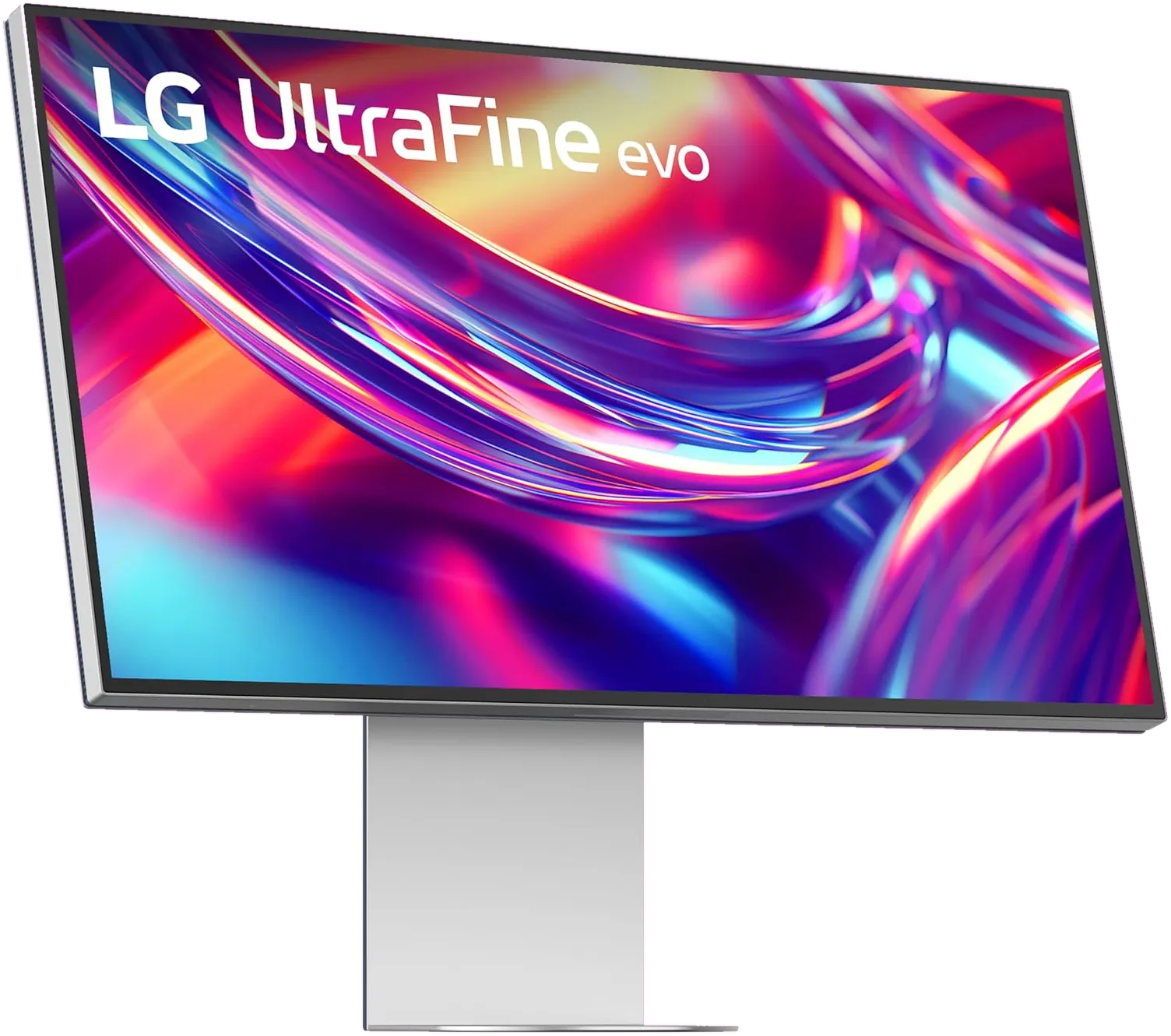
- 224 PPI Retina sharp on macOS
- 60 Hz Refresh rate
- 96W One-cable charging
- Thunderbolt 5 Daisy-chain capable
- 60 mm Height adjustment
- None Camera
LG 32U990A-S 6K · 32″ · 224 PPI
LG UltraFine evo 32U990A Review: The First 6K with Thunderbolt 5
Parish Khan Research-based review 5 min read
RetinaDesk verdict
Outstanding
Owners of Thunderbolt 5 Macs (M4 Pro and newer) who want to use that bandwidth
The first 6K monitor with Thunderbolt 5, and LG's return to the Mac market. A Nano IPS Black panel, 98% DCI-P3 and 99.5% Adobe RGB, and an 80 Gb/s single-cable connection that can daisy-chain a second 6K. At $1,999 it is a hard sell over the ASUS PA32QCV; on sale near $1,299 it is the most future-proof 6K you can buy.
Will it work with your Mac? Check against Apple's own limits in five seconds.Launch price
$1,999
Amazon prices move often; check today's.
As an Amazon Associate, RetinaDesk earns from qualifying purchases. It never changes your price.
The 30-second verdict
What you get, what you give up, and who it's for.
Why you'll love it
- First 6K monitor with Thunderbolt 5: 80 Gb/s over a single cable
- 6144 × 3456 at 31.5 inches (224 PPI)
- Nano IPS Black panel with noticeably deeper blacks than regular IPS
- 98% DCI-P3 and 99.5% Adobe RGB, rare Adobe RGB coverage for a 6K
- Thunderbolt 5 daisy-chain drives a second 6K 60 Hz display from one Mac port
- Auto KVM with picture-by-picture and picture-in-picture
- Mac-tuned Studio Mode presets and Mac brightness and volume key control
- Frequently discounted to around $1,299, the same price as the ASUS PA32QCV
Think twice about
- 96W charging isn't enough for a 16-inch Max MacBook Pro under full load
- No USB-A or Ethernet; the hub is two USB-C ports only
- Stand offers only 60 mm of height travel and no swivel
- Measured contrast (about 1,500–1,720:1) falls well short of the 2,000:1 claim
- Vertical on-screen menu is awkward to navigate; speakers are basic
Buy it if you're
- Owners of Thunderbolt 5 Macs (M4 Pro and newer) who want to use that bandwidth
- Photographers and print designers who need Adobe RGB coverage
- Anyone planning two 6K displays daisy-chained from one port
- Buyers who catch it at its frequent $1,299 sale price
Skip it if you're
- 16-inch Max MacBook Pro owners who want full-speed single-cable charging (the Dell does 140W)
- Desks that need USB-A or Ethernet from the monitor
- HDR colourists: DisplayHDR 600 is mid-tier
- Anyone who needs serious ergonomics without a monitor arm
Mac compatibility
Will the LG UltraFine evo 6K work with your Mac?
Pick your Mac and we'll check it against Apple's own display limits for that exact model.
1 · Your Mac
2 · Its chip
We remember your Mac on this device only, so every RetinaDesk review checks it for you.
What we check
- Native 6K resolution
- Refresh rate
- How many at once
- One-cable charging
- Which port to use
Source: Apple's display-support pages for every Apple silicon Mac, as used by our external display tool.
LG UltraFine evo 6K compatibility at a glance, by Mac
Works fully
- MacBook Air 13" (M1, M2, M3, M4, M5)
- MacBook Air 15" (M2, M3, M4, M5)
- MacBook Pro 13" (M1, M2)
- MacBook Pro 14" (M1 Pro, M1 Max, M2 Pro, M2 Max, M3, M3 Pro, M3 Max, M4, M4 Pro, M4 Max, M5, M5 Pro, M5 Max)
- Mac mini (M1, M2, M2 Pro, M4, M4 Pro, M6, M5 Pro)
- Mac Studio (M1 Max, M1 Ultra, M2 Max, M2 Ultra, M4 Max, M3 Ultra, M5 Max, M5 Ultra)
- iMac 24" (M1 (2-port), M1 (4-port), M3 (2-port), M3 (4-port), M4 (2-port), M4 (4-port))
- Mac Pro (M2 Ultra)
Works, with a catch
- MacBook Pro 16" (M1 Pro, M1 Max, M2 Pro, M2 Max, M3 Pro, M3 Max, M4 Pro, M4 Max, M5 Pro, M5 Max): 96W charging, slightly short
Won't work
- MacBook Neo (A18 Pro): Can't run 6K
From Apple's published display limits and charger wattages for each Mac. Pick yours above for the full detail.
Front 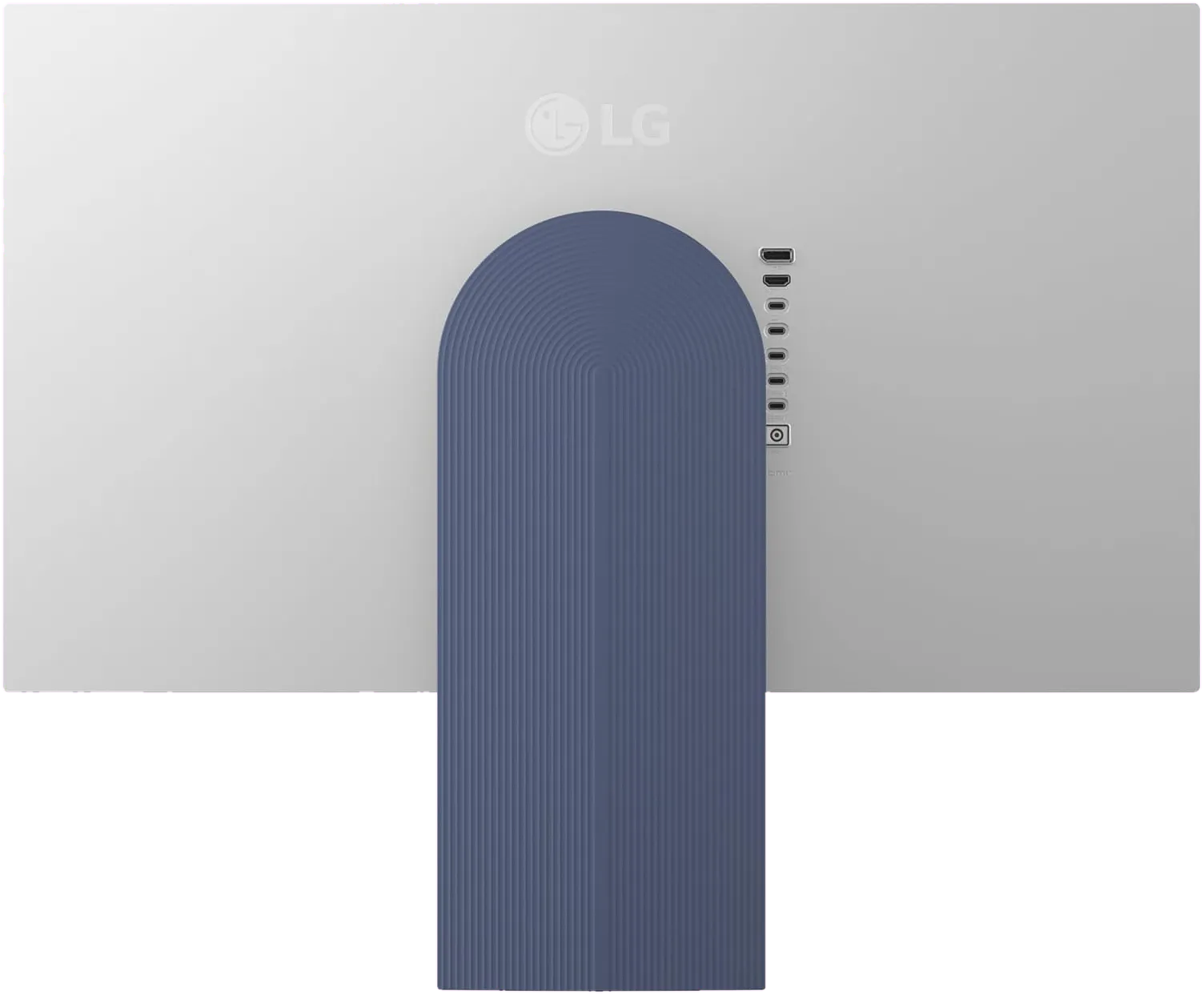 Back & ports
  Close-up
 How it stacks up
Where the LG UltraFine evo 6K lands against its rivals.
Manufacturer specs for every monitor we cover. Further right is better. Tap a dot to open that review.
Price (MSRP)
3rd of 4
$1,999
Rated SDR brightness
2nd of 4
450 nits
Refresh rate
Same across all 4
60 Hz
Every monitor here matches it, so this one is a level playing field.
Laptop charging
3rd of 4
96W
Stand height travel
3rd of 4
60 mm
Pixel density
Best (tied) of 4
224 PPI
Price (MSRP)
8th of 10
$1,999
Rated SDR brightness
5th of 10
450 nits
Refresh rate
3rd of 10
60 Hz
Laptop charging
4th of 10
96W
Stand height travel
8th of 10
60 mm
Pixel density
Best (tied) of 10
224 PPI
The verdict, up top
LG took a long time to return to the Mac monitor market. The old UltraFine 5K is a 2015 design Apple stopped selling years ago. The UltraFine evo 32U990A is what LG did with that time: the first 6K monitor with Thunderbolt 5, announced at CES 2025 and shipping since November 2025 at $1,999.
The panel is the same class as the Dell U3224KB, 6144 × 3456 at 224 PPI, with LG’s Nano IPS Black technology for deeper blacks and a wider gamut. Thunderbolt 5 makes it the only 6K that works natively with Thunderbolt 5 Macs, a list that now runs from the M4 Pro through the M5 Pro and M5 Max MacBook Pros to the M5 Pro Mac mini and the M5 Max and M5 Ultra Mac Studio.
At $1,999 it sits $700 above the ASUS PA32QCV, and that gap is hard to justify. Since launch, though, LG has run near-constant promotions, often bringing it down to around $1,299. At that price it is the 6K you can’t ignore.
What Thunderbolt 5 actually gets you
Every earlier 6K monitor used Thunderbolt 3 or 4 at 40 Gb/s, relying on DSC compression for the full picture. To be clear about what changes: 6K runs at 60 Hz on every Mac Apple sells, so Thunderbolt 5 does not buy a higher refresh rate. It buys bandwidth for everything else on the cable, plus a two-6K daisy-chain.
The 32U990A has two Thunderbolt 5 ports. The upstream port carries the 6K picture, data and 96W of charging over one 80 Gb/s cable. The downstream port can daisy-chain a second 6K 60 Hz display, which Thunderbolt 4 bandwidth cannot do: two 6K panels from one port on your Mac. Your Mac still has to support that many displays; check your chip in our external display support tool, and see the bandwidth maths in our cable bandwidth calculator.
The monitor uses Thunderbolt 5’s symmetric 80 Gb/s mode rather than the 120 Gb/s asymmetric mode. For a 6K 60 Hz panel that makes no practical difference.
The panel
“Nano IPS Black” combines two technologies. IPS Black adds a contrast layer that LG rates at 2,000:1, double standard IPS, so blacks look darker in a dim room instead of glowing grey. Independent labs measured it lower than claimed, around 1,500 to 1,720:1, which is still clearly better than typical IPS (full figures below). Nano IPS widens the gamut to 98% DCI-P3 and 99.5% Adobe RGB.
That Adobe RGB figure matters. The ASUS PA32QCV and Apple’s displays are P3 monitors, which is the right gamut for video and general creative work. If your work ends up in print or prepress, or your photography lives in Adobe RGB, this LG is the only 6K we cover that fully supports it.
Sharpness matches the Dell: 224 PPI, just above the 218 PPI target, rendered by macOS at a clean 2×. Text looks as crisp as a MacBook Pro’s built-in screen.
LG rates brightness at 450 nits typical with DisplayHDR 600; labs broadly confirm the SDR figure and exceed the HDR one. It is still mid-tier HDR. Real HDR grading needs the Mini-LED zones of a Studio Display XDR.
The coating is a light anti-glare, closer to semi-gloss than the ASUS’s heavy matte. Colours get a little extra pop, but you will see reflections from a window behind you. Kuycon sells both extremes, glossy glass on the G32P and heavy matte on the G32X, and the LG sits between them.
KVM and Mac software
The Auto KVM switches your keyboard and mouse between two connected computers automatically, and picture-by-picture and picture-in-picture modes show both at once. On the Dell, you pay $2,399 for a similar feature set.
LG has done its Mac homework. Studio Mode includes presets matched to macOS rendering, and the LG Switch app with M-Control lets your Mac’s brightness and volume keys control the monitor. It is a third-party app rather than native support, so it is less seamless than an Apple display. The weakest part of the experience is the on-screen menu, which runs vertically along the right edge and takes more clicks than it should.
Ports and charging
Beyond the two Thunderbolt 5 ports there is a full-size DisplayPort 2.1 input (better than the Dell’s Mini DisplayPort), an HDMI 2.1 input and two USB-C downstream ports at 15W each.
The hub is limited. There is no USB-A, so older receivers need adapters, and no Ethernet; the Dell includes 2.5GbE and four USB-A ports. If you use several wired peripherals, budget for a small dock.
Charging is 96W, the same as the ASUS and the regular Studio Display but short of the 140W from the Dell and Studio Display XDR. That is fine for a 14-inch MacBook Pro; a 16-inch M4 Max or M5 Max will slowly drain under heavy sustained load.
The stand
This is the biggest weakness. The L-shaped stand looks clean and keeps the desk open, but it travels only 60 mm vertically, against 130 mm on the ASUS and 160 mm on the Dell. It tilts from −5° to +20° and pivots 90° for portrait, but it does not swivel. Taller users will want a monitor arm on the 100 × 100 VESA mount. The panel weighs about 6 kg without the stand, so any mid-range arm can hold it.
Who should buy it
- Owners of Thunderbolt 5 Macs who want to use those ports
- Photographers and print designers who need 99.5% Adobe RGB
- Anyone planning a dual-6K desk via daisy-chain without a dock
- Two-computer desks that will use the Auto KVM daily
- Anyone who finds it near the $1,299 sale price
Who should buy something else
- At full price against an ASUS PA32QCV at $1,299, the ASUS is the smarter buy, with Calman Verified calibration and a much better stand
- 16-inch Max MacBook Pro owners who want full-speed charging should look at the Dell U3224KB
- HDR professionals belong on the Studio Display XDR or a used Pro Display XDR
- If you want a built-in webcam and conferencing features, the Dell is the only 6K with them
- If you want glass rather than any coating, the Kuycon G32P puts a similar Nano IPS Black-class panel behind laminated glass
The bottom line
The UltraFine evo 32U990A is the most future-ready 6K monitor you can buy: the only one with Thunderbolt 5, with genuine Adobe RGB coverage and a panel with deeper blacks than standard IPS. It beats the ASUS on connectivity and panel technology.
It is not perfect. The stand is underwhelming, the hub lacks USB-A and Ethernet, and LG’s software and menus feel dated. A monitor arm and a small dock solve most of that.
Price decides whether it is worth buying. At $1,999, we recommend the ASUS PA32QCV for most people. When the LG drops to around $1,299, as it often does on Amazon, it becomes one of the best values in 6K. Compare it directly in ASUS PA32QCV vs LG UltraFine evo and Dell U3224KB vs LG UltraFine evo, or see the full best 6K monitors for Mac Studio guide.
The bottom line
LG UltraFine evo 6K: outstanding
The first 6K monitor with Thunderbolt 5, and LG's return to the Mac market. A Nano IPS Black panel, 98% DCI-P3 and 99.5% Adobe RGB, and an 80 Gb/s single-cable connection that can daisy-chain a second 6K. At $1,999 it is a hard sell over the ASUS PA32QCV; on sale near $1,299 it is the most future-proof 6K you can buy.
$1,999
launch price · Amazon's price changes often
As an Amazon Associate, RetinaDesk earns from qualifying purchases.
Independent lab measurements
What the LG UltraFine evo 6K actually measures
LG claims 450 nits, 2000:1 and DisplayHDR 600 for the UltraFine evo. Labs broadly confirm the brightness and comfortably exceed the HDR figure, but every independent contrast measurement lands well below the claimed 2000:1 — the Nano IPS Black panel measures closer to 1500–1720:1. Every figure is attributed to the lab that measured it.
Maximum SDR brightness
480 nits
+7% vs LG's 450
Primary: PCWorld
Native contrast ratio
1,726:1
−14% vs LG's 2,000:1
2 labs · 1,500–1,726:1
Primary: AVForums
HDR peak brightness
748 nits
+25% vs LG's 600
Primary: PCWorld
Colour accuracy
0.73 ΔE
63% below LG's 2
Primary: PCWorld
Measured colour gamut coverage
Measured LG claims
Claimed 99.5% · PCWorld
Claimed 98% · PCWorld
Not a claimed figure · PCWorld
Brightness & contrast
- Measured contrast
- 1,726:1 AVForums
- Measured contrast, second lab
- 1,500:1 PCWorld
- Peak HDR brightness
- 748 nits PCWorld
- Edge-lit dimming zones Not full-array — blacks show clouding and corner bleed
- 16 AVForums
Colour accuracy
- Average colour error
- 0.73 ΔE PCWorld
- Gamma On target
- 2.2 PCWorld
- White point Against a 6500 K target — skews visibly blue
- 7,000 K PCWorld
Where these numbers come from
RetinaDesk does not run a photometry lab. Every figure above is an instrumented reading published by the lab named beside it, collected here so you can compare them against LG's claimed specification in one place. Each lab's full review is linked below, so you can check any number at its source. Our own contribution for the LG UltraFine evo 6K is the Mac side: which Macs drive it at native resolution, over which port and cable, described in our methodology.
Compare the LG UltraFine evo 6K
Head-to-head with the monitors most shoppers cross-shop against.
Pick any other monitor from our catalog and see the spec-by-spec matchup instantly.
Before you buy
Check your Mac and your cable.
Three quick checks that determine whether the LG UltraFine evo 6K will actually run at its full resolution on your specific Mac.
Mac PPI Calculator & Retina Checker
See how the 6K panel at 32" will actually render on macOS, and how it compares to Retina targets.
Open calculatorMac Cable Bandwidth Calculator
Confirm your USB-C, HDMI, DisplayPort or Thunderbolt cable can carry 6K at 60Hz from your Mac.
Check my cableMac External Display Support
Check whether your exact Apple Silicon Mac (M1 through M6) can drive the LG UltraFine evo 6K at native resolution.
Look up my Mac