Kuycon
Kuycon G32P / G32X
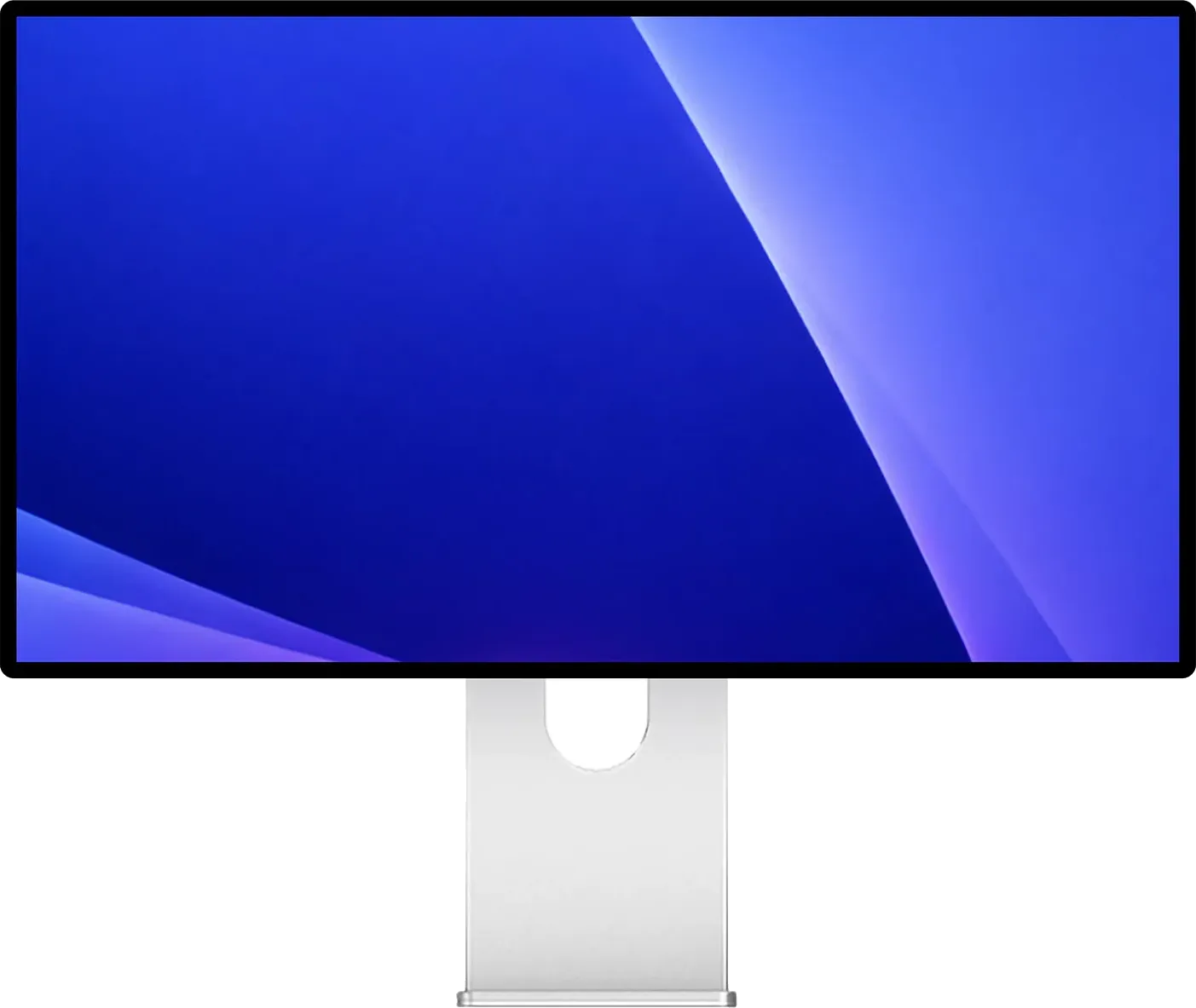
- 223 PPI Retina sharp on macOS
- 60 Hz Refresh rate
- 100W One-cable charging
- USB-C Connection
- Optional Stand sold separately
- None Camera
Kuycon G32P / G32X 6K · 32″ · 223 PPI
Kuycon G32P and G32X Review: 32-Inch 6K for Mac, Glossy or Matte
Parish Khan Research-based review 7 min read
RetinaDesk verdict
Excellent
Mac Studio and Mac mini owners who want 32 inches of Retina sharpness without Apple pricing
Nothing else on sale looks this much like a Pro Display XDR. Real glass, 223 PPI and a rated 2,000:1 on the glossy G32P for about $1,699, or 218 PPI matte on the G32X for $1,399. Lovely panels, but no dock, no speakers, no KVM, a twelve-month warranty, and no independent lab has measured either one yet.
Will it work with your Mac? Check against Apple's own limits in five seconds.Two versions
$1,399 – $1,699
Amazon prices move often; check today's.
As an Amazon Associate, RetinaDesk earns from qualifying purchases. It never changes your price.
The 30-second verdict
What you get, what you give up, and who it's for.
Why you'll love it
- 32-inch 6K that clears Apple's Retina bar on both models
- Real laminated glass on the G32P, the only glossy 32-inch 6K left since the Pro Display XDR was discontinued
- 500 nits rated brightness, higher than the LG UltraFine evo and Dell U3224KB claim
- The G32P's Nano IPS Black panel is rated at about twice the contrast of regular IPS
- Aluminium front and back; owners consistently praise the build quality
- Two full 48 Gb/s HDMI 2.1 inputs for a console or second computer, no adapter needed
- One USB-C cable carries the picture and 100W, enough for a 14-inch MacBook Pro
- Per-unit calibration report included on a USB stick
Think twice about
- Not a dock: one fast upstream port, and the two downstream USB-C ports run at USB 2.0
- No speakers, camera, microphone, KVM, Ethernet or daisy-chain
- Twelve-month warranty, against three years from ASUS and on-site service from Dell
- Quality control reports include a red tint, a stuck pixel and unevenly seated ports
- No independent lab has measured either panel; every figure comes from Kuycon
- The stand costs extra when buying direct
- The glossy G32P reflects a lot in a bright room
Buy it if you're
- Mac Studio and Mac mini owners who want 32 inches of Retina sharpness without Apple pricing
- Anyone who loves the Pro Display XDR look and is willing to try a newer brand
- Rooms where you control the light, where the glossy panel shines
- Desks that already have a Thunderbolt dock
Skip it if you're
- Anyone who wants the monitor to double as a dock; the ASUS PA32QCV does both
- Bright rooms with the glossy G32P: choose the matte G32X or something else
- 16-inch Max MacBook Pro owners: 100W isn't enough under heavy load
- Anyone who wants a multi-year warranty and phone support
- People on video calls all day: there is no camera, microphone or speaker
Mac compatibility
Will the Kuycon G32P / G32X work with your Mac?
Pick your Mac and we'll check it against Apple's own display limits for that exact model.
1 · Your Mac
2 · Its chip
We remember your Mac on this device only, so every RetinaDesk review checks it for you.
What we check
- Native 6K resolution
- Refresh rate
- How many at once
- One-cable charging
- Which port to use
Source: Apple's display-support pages for every Apple silicon Mac, as used by our external display tool.
Kuycon G32P / G32X compatibility at a glance, by Mac
Works fully
- MacBook Air 13" (M1, M2, M3, M4, M5)
- MacBook Air 15" (M2, M3, M4, M5)
- MacBook Pro 13" (M1, M2)
- MacBook Pro 14" (M1 Pro, M1 Max, M2 Pro, M2 Max, M3, M3 Pro, M3 Max, M4, M4 Pro, M4 Max, M5, M5 Pro, M5 Max)
- Mac mini (M1, M2, M2 Pro, M4, M4 Pro, M6, M5 Pro)
- Mac Studio (M1 Max, M1 Ultra, M2 Max, M2 Ultra, M4 Max, M3 Ultra, M5 Max, M5 Ultra)
- iMac 24" (M1 (2-port), M1 (4-port), M3 (2-port), M3 (4-port), M4 (2-port), M4 (4-port))
- Mac Pro (M2 Ultra)
Works, with a catch
- MacBook Pro 16" (M1 Pro, M1 Max, M2 Pro, M2 Max, M3 Pro, M3 Max, M4 Pro, M4 Max, M5 Pro, M5 Max): 100W charging, slightly short
Won't work
- MacBook Neo (A18 Pro): Can't run 6K
From Apple's published display limits and charger wattages for each Mac. Pick yours above for the full detail.
Front 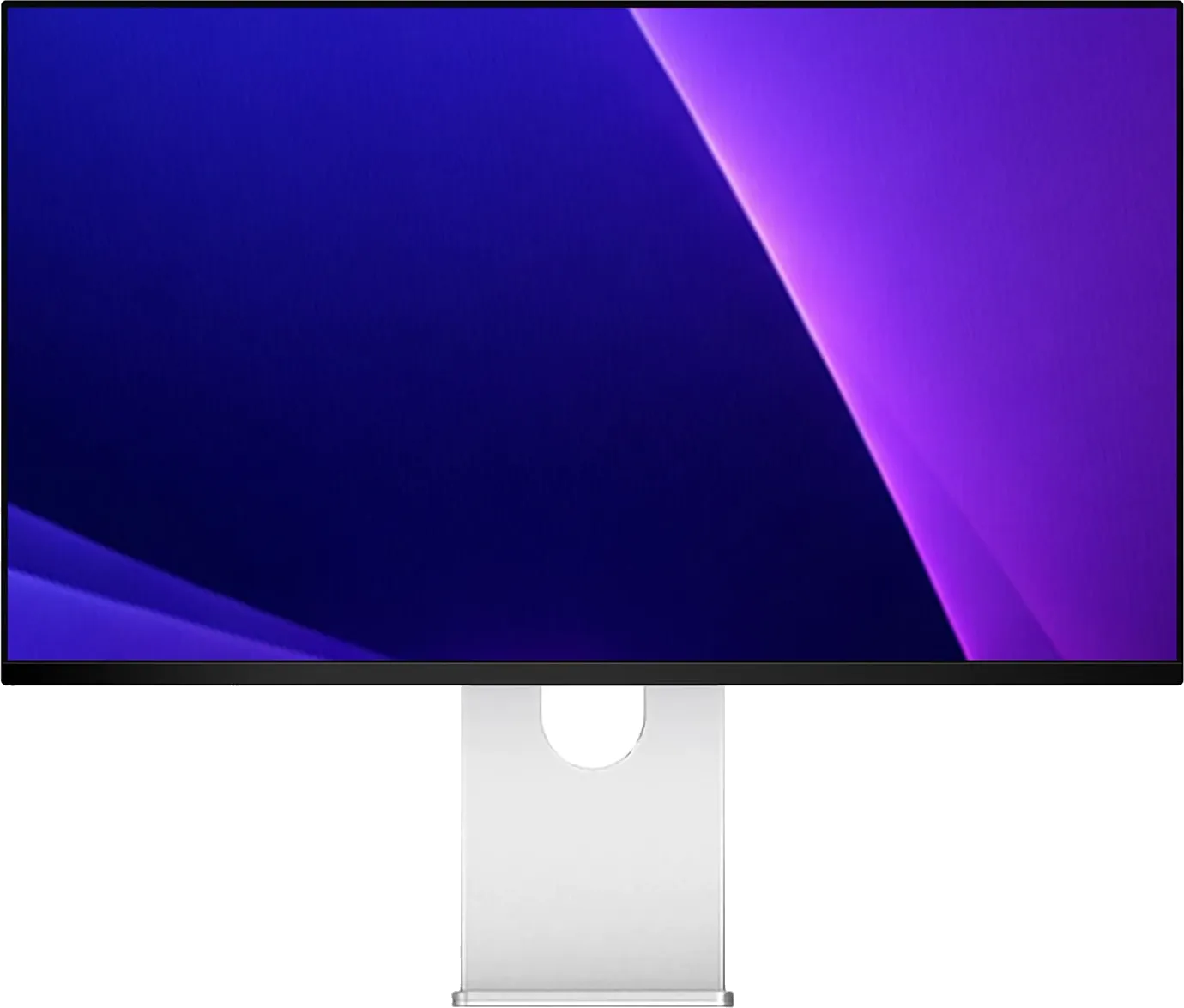 Front
Front 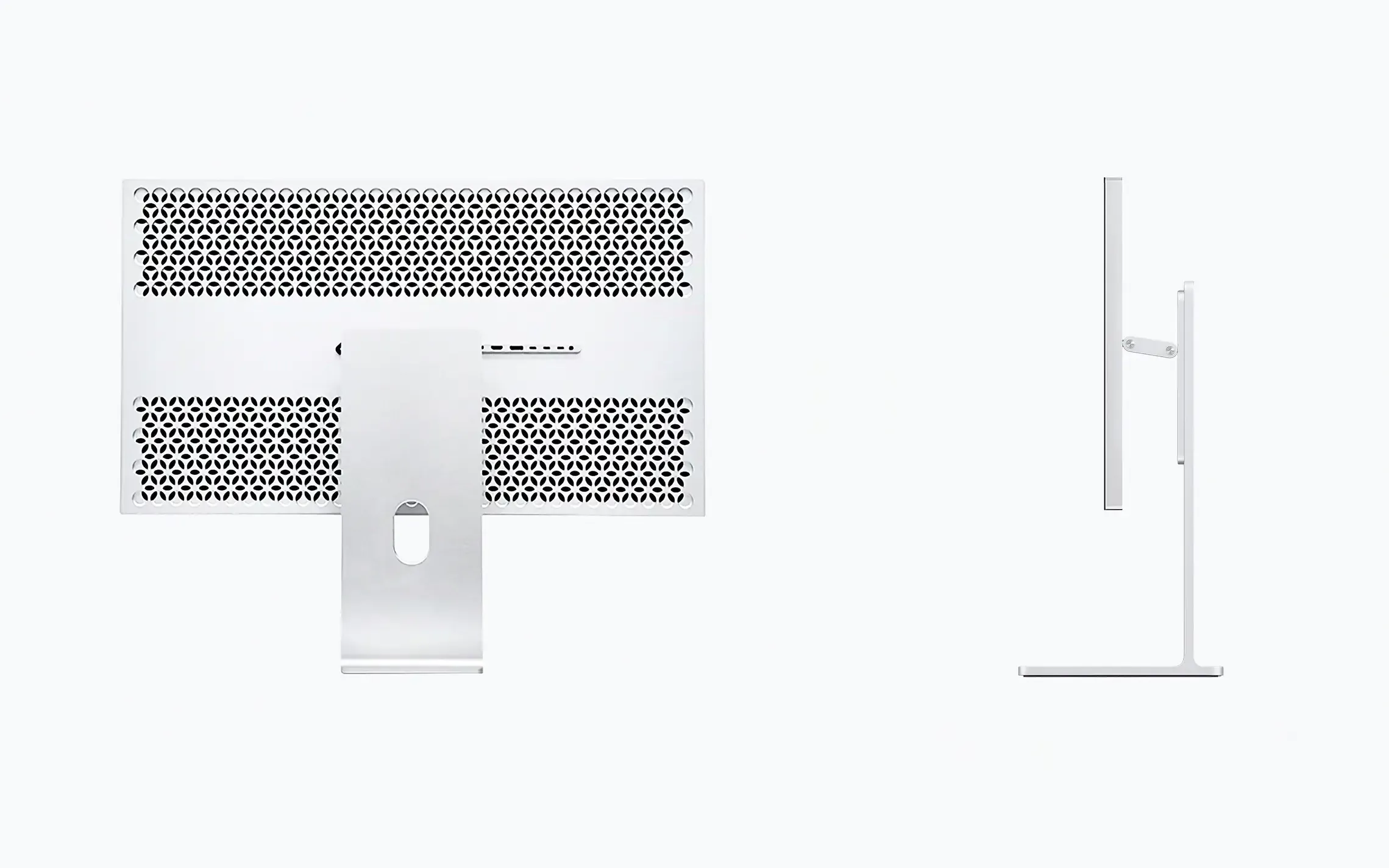 Back & ports
  Back & ports
  Close-up
  Close-up
  Front
Front  On the desk
 How it stacks up
Where the Kuycon G32P / G32X lands against its rivals.
Manufacturer specs for every monitor we cover. Further right is better. Tap a dot to open that review.
Price (MSRP)
2nd of 4
$1,399
Rated SDR brightness
Best of 4
500 nits
Refresh rate
Same across all 4
60 Hz
Every monitor here matches it, so this one is a level playing field.
Laptop charging
2nd of 4
100W
Stand height travel
4th of 4
None
Pixel density
3rd of 4
223 PPI
Price (MSRP)
6th of 10
$1,399
Rated SDR brightness
3rd of 10
500 nits
Refresh rate
3rd of 10
60 Hz
Laptop charging
3rd of 10
100W
Stand height travel
9th of 10
None
Pixel density
3rd of 10
223 PPI
The verdict, up top
Most people have never heard of Kuycon. Keep that in mind, because everything else is easier to judge once you accept that you are buying from a young company with a website, an Amazon storefront and very little track record.
What Kuycon makes is still worth your attention. The G32P is a 32-inch 6K panel with real glass on the front, and since Apple discontinued the Pro Display XDR in 2026, nothing else in this category has that. Every other 6K ships with a coating.
This review covers two models. The G32P is the glossy one at $1,699; the G32X is matte at $1,399. Underneath they are the same monitor: the same aluminium body, port row, 100W USB-C charging and one-year warranty. The differences are in the table below.
G32P or G32X: the difference in one table
The top half is what you can see across a room. The bottom half is what you are paying for.
| G32P (glossy) | G32X (matte) | |
|---|---|---|
| Front finish | Laminated AR glass | Matte, 3H anti-glare |
| Bezels | Even black surround on all four sides | Slimmer sides, shallower chin |
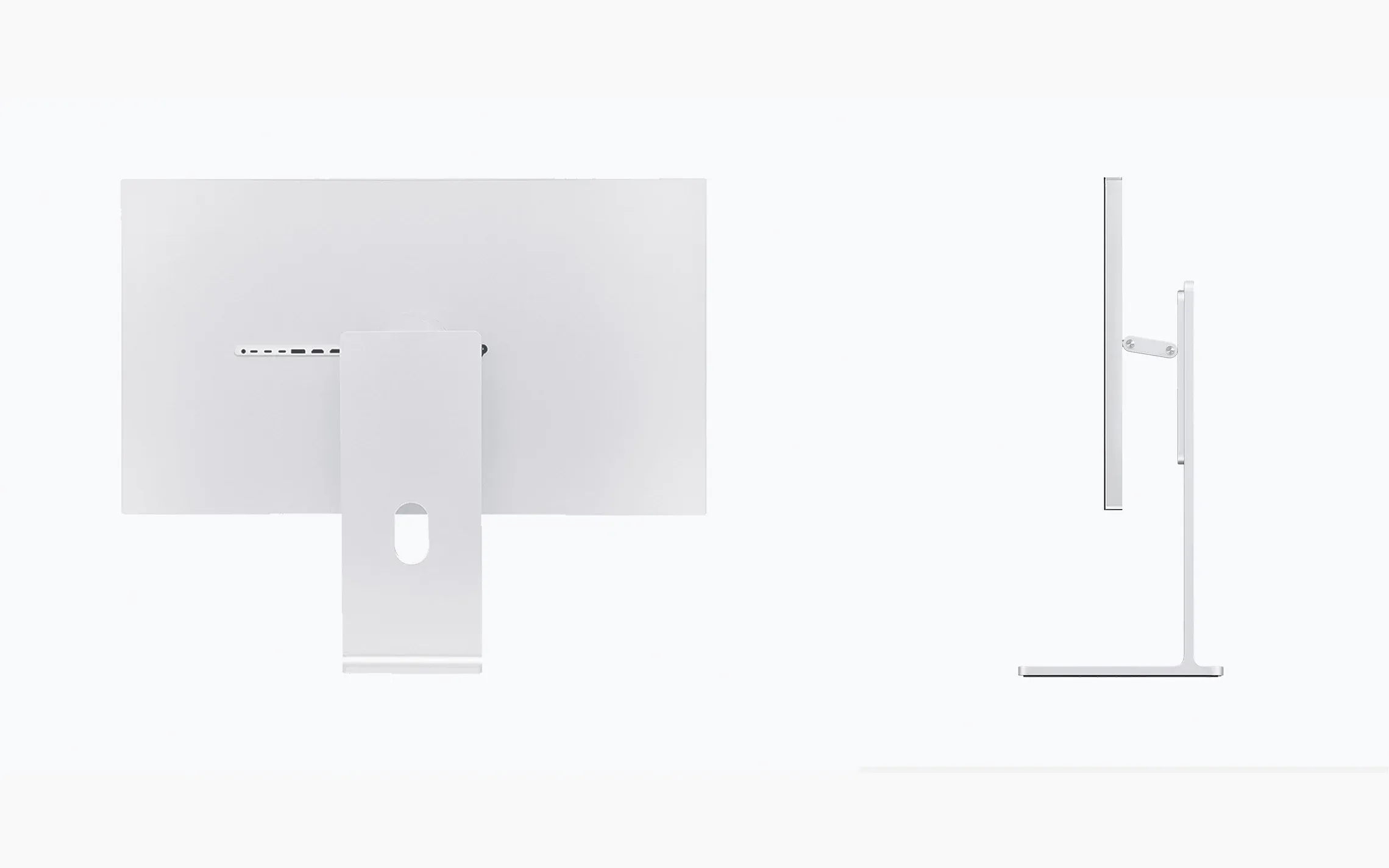
| Rear shell | Perforated honeycomb | Flat aluminium |
| Stand in the Amazon bundle | Honeycomb | Minimalist |
| Panel | LG Nano IPS Black | IPS |
| Resolution | 6144 × 3456 | 6016 × 3384 |
| Density | 223 PPI | 218 PPI |
| Static contrast (rated) | 2000:1 | 1500:1 |
| DCI-P3 | 99% | 98% |
| Kuycon price | From $1,699 | From $1,399 |
| Amazon, with stand | About $1,755 | About $1,500 |
Everything not in the table is identical: 500 nits, 60 Hz, 10-bit, 5 ms, the same ports, 100W, 7.5 kg, VESA 100 and one year of cover.
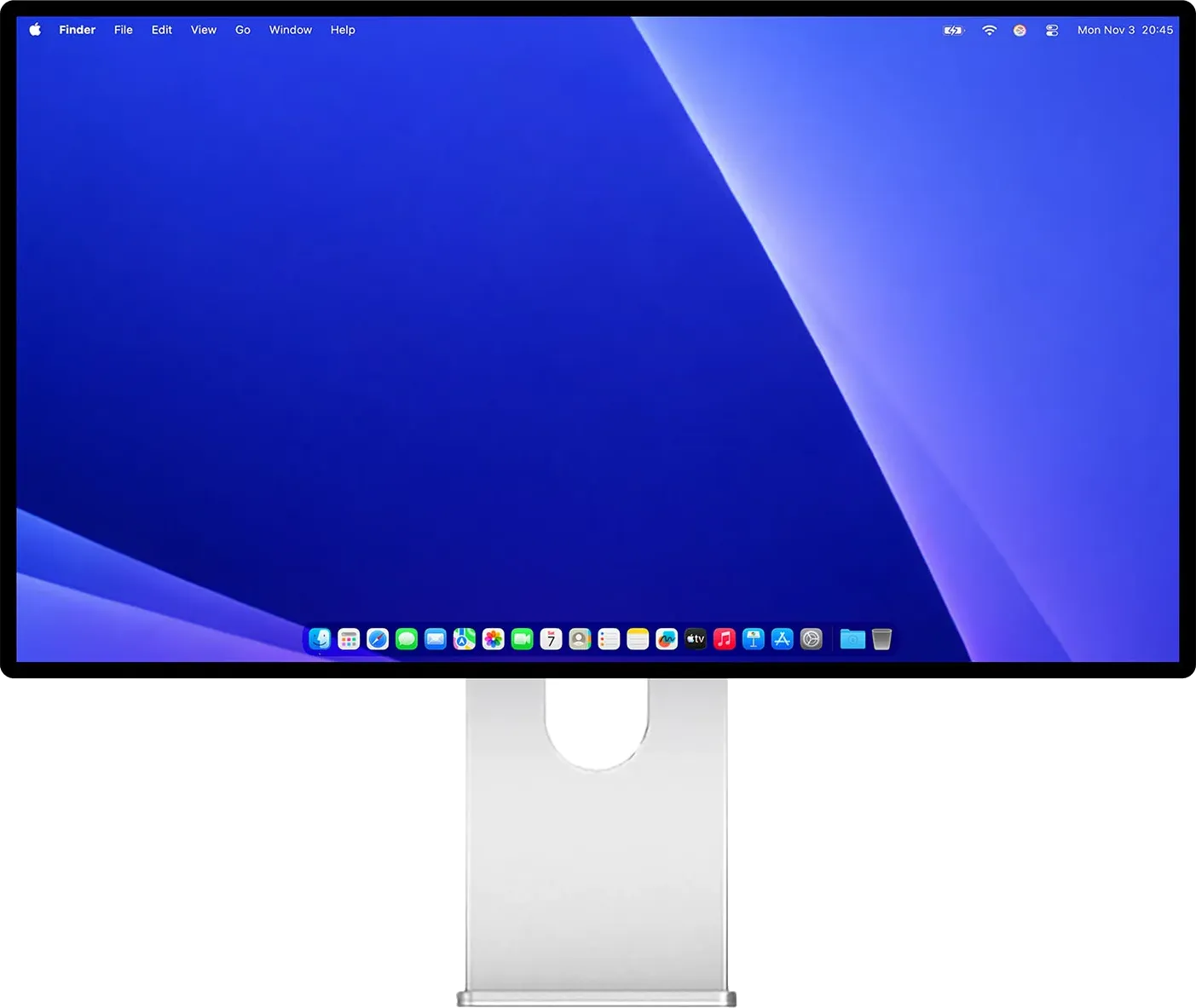
To tell them apart: from the front, the G32P has an even black bezel all round while the G32X has thinner sides and a smaller chin. From the back, honeycomb holes mean G32P; flat aluminium means G32X. The gallery above shows both.
Which should you pick? It mostly depends on your room. The G32P’s glass looks better and its deeper contrast is real, not just a spec-sheet claim. But with a window behind your desk, that glass becomes a mirror, and 500 nits only helps so much. In a bright room, choose the G32X.
The 223 versus 218 PPI difference doesn’t matter. macOS renders both at 2× and you won’t see it.
The panel
The G32P uses an LG Nano IPS Black panel, the same family as the LG UltraFine evo at $1,999 and close to what the Dell U3224KB charges $2,399 for. It is rated at 2,000:1 contrast against the usual 1,000:1 of regular IPS, so blacks look darker in a dim room rather than washed-out grey.
Kuycon rates it at 500 nits where LG and Dell claim 450. Extra brightness matters more on a glossy screen, where reflections are the main problem.
The G32X makes a small compromise: a regular IPS panel at 1,500:1 and 98% DCI-P3. In exchange you get a matte coating that really works, closer to the heavy matte of the ASUS PA32QCV than LG’s light semi-gloss.
Both support HDR10, but there is no local dimming. That is fine for films; for serious HDR grading you would be working blind.
Each unit ships with its own calibration report on a USB stick. That is a nice touch, though it is Kuycon marking its own homework.
The evidence problem
This is the most important section of the review. Every figure on this page comes from Kuycon. We looked for independent measurements in English, German, Japanese and Chinese, including under the brand’s Chinese name 酷优客, and found none. RTINGS has not tested it, nor have TFTCentral, PCMonitors.info, Prad.de, PCWorld or AVForums. Notebookcheck’s two articles repeat the spec sheet. Chinese reviewers have measured Kuycon’s older P32K, but nobody has published a measured number for a G32P or G32X.
That matters. When labs measured the LG UltraFine evo, they found its contrast well short of LG’s advertised 2,000:1. That is exactly what independent testing is for. Kuycon says 500 nits and 2,000:1, and right now nobody is in a position to check.
Like every RetinaDesk review, this one is research-based: we have not tested a unit ourselves. We have asked Kuycon for a review unit; if one arrives, we will add our own observations and photos and say so at the top. Until then, treat the specifications as claims.
Ports, and the dock you may still need
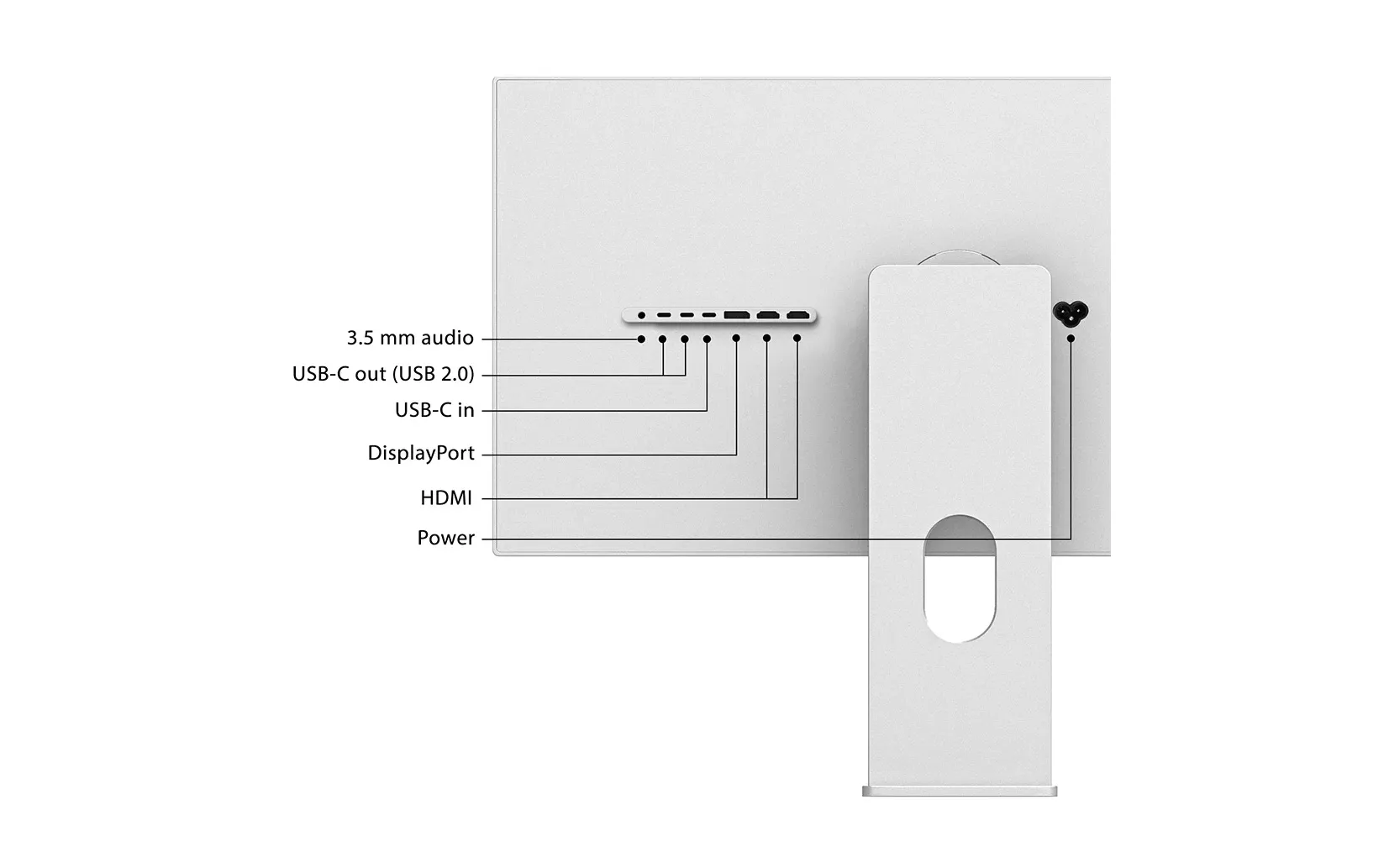
There is one upstream USB-C port for the picture, data and 100W of charging, two downstream USB-C ports, a full-size DisplayPort 2.1 input, two 48 Gb/s HDMI 2.1 inputs and a headphone jack.
The upstream port works with Thunderbolt 4, Thunderbolt 5 and USB4 Macs, but the monitor is not a dock and doesn’t try to be. The two downstream ports run at USB 2.0 (480 Mb/s): fine for a keyboard, mouse or dongle, far too slow for an external SSD.
At this price that is a real weakness. ASUS gives you Thunderbolt 4 in and out with daisy-chain, LG gives you Thunderbolt 5 in both directions, and Dell adds 2.5GbE and four USB-A ports. Kuycon gives you a great screen and few ports. If your desk needs a dock, budget for one; our Thunderbolt dock bandwidth planner shows what a dock can carry alongside a 6K panel.
There is no KVM and no daisy-chain. The two HDMI 2.1 inputs are unusual on a Mac-focused monitor, and genuinely useful: you can connect a PS5 and a laptop without dongles.
100W keeps a 14-inch MacBook Pro charged. A 16-inch M4 Max or M5 Max will lose battery under sustained heavy load, a limitation it shares with the ASUS and LG.
Owners have reported two setup issues worth knowing. One had to open the on-screen menu and switch DisplayPort mode to 2.1 before the panel would run at full 6K, which isn’t documented. The same owner’s Thunderbolt connection kept dropping until they switched to a DisplayPort cable. Before buying, check what your Mac can drive in our external display support tool and which cable you need in the cable bandwidth calculator.
The stand is a separate line item
Buy from kuycon.us and you get the panel and a VESA adapter, with the stand sold separately.
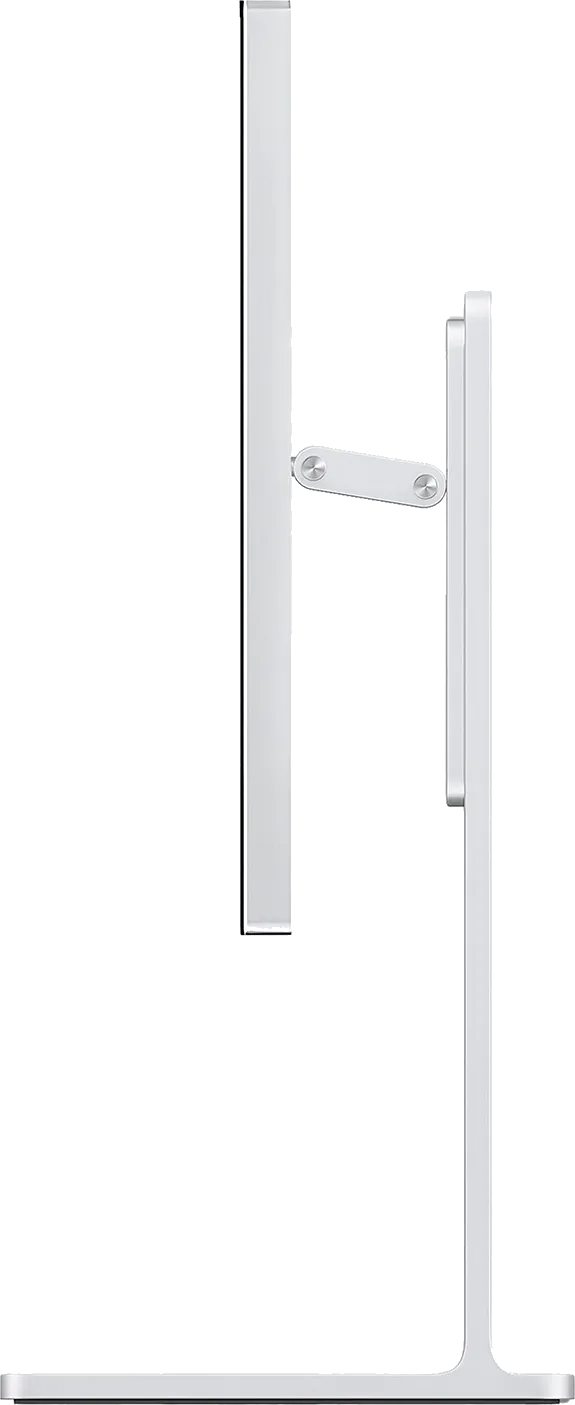
On Amazon, the bundle you pick decides it. The G32P comes with the honeycomb stand, a close copy of Apple’s Pro Display XDR stand; the G32X gets a plain stand. Both adjust for height, tilt, swivel and pivot, but Kuycon doesn’t publish how far, which is frustrating if you need to know whether it will reach your eye line.
At 7.5 kg the panel is light enough for any decent monitor arm. If you already own one, skip the stand.
Buying from a brand you haven’t heard of
At the time of writing, the G32P has 26 Amazon ratings and the G32X has two, so read this section with that small sample in mind.
The reported failures are specific: a red cast across dark backgrounds on one G32P, whose replacement arrived with a stuck pixel; USB-C sockets seated at different depths on a G32X; and grey clouding at the edges off-angle on another G32P.
Kuycon handled the red-cast case well: a replacement within five days and $100 back for the trouble. Plenty of much larger companies do worse.
The warranty is still one year. ASUS gives three; Dell gives three and sends a technician the next working day. A panel that fails in month 14 is your problem.
Two smaller niggles: more than one owner says the remote arrived without a battery, and there is no printed manual, so you may spend a few minutes working out which USB-C socket is upstream.
If you buy, use the official Kuycon store on Amazon rather than a reseller. Returns are simpler, and import duty is less of a question than ordering direct.
Who should buy it
- Mac Studio and Mac mini owners who want 32 inches of Retina density without Apple’s price
- Anyone who misses the Pro Display XDR’s glass front
- Rooms where you control the light, the only place the glossy G32P truly shines
- Desks that already have a Thunderbolt dock
- People who want a PS5 or second computer on HDMI without adapters
Who should buy something else
- For one cable that handles screen, charging and peripherals, the ASUS PA32QCV does it for $400 less
- With a Thunderbolt 5 Mac, start with the LG UltraFine evo 32U990A, which can daisy-chain a second 6K
- For Ethernet, USB-A and a KVM together, the Dell U3224KB
- For video calls, the Apple Studio Display has the camera, microphones and speakers
- For three years of cover and someone to phone, look anywhere but here: Kuycon offers twelve months and an inbox
The bottom line
Nothing else on sale looks this much like a Pro Display XDR: glass front, honeycomb aluminium back, 6144 × 3456 at 223 PPI, for roughly a third of what Apple used to charge. If your room has windows, the matte G32X does the same job for $300 less without the reflections.
Be clear about the deal. You are buying a very good-looking panel and very little else, from a company no independent lab has tested yet, with a year of warranty. That works if your desk is already sorted and you want pixels and a beautiful piece of aluminium.
If it isn’t, the ASUS PA32QCV costs less, does more and comes with three years of cover. Compare them in ASUS PA32QCV vs Kuycon G32P, or see the best 6K monitors for Mac Studio guide.
The bottom line
Kuycon G32P / G32X: excellent
Nothing else on sale looks this much like a Pro Display XDR. Real glass, 223 PPI and a rated 2,000:1 on the glossy G32P for about $1,699, or 218 PPI matte on the G32X for $1,399. Lovely panels, but no dock, no speakers, no KVM, a twelve-month warranty, and no independent lab has measured either one yet.
$1,399 – $1,699
launch price · Amazon's price changes often
As an Amazon Associate, RetinaDesk earns from qualifying purchases.
Compare the Kuycon G32P / G32X
Head-to-head with the monitors most shoppers cross-shop against.
Pick any other monitor from our catalog and see the spec-by-spec matchup instantly.
Before you buy
Check your Mac and your cable.
Three quick checks that determine whether the Kuycon G32P / G32X will actually run at its full resolution on your specific Mac.
Mac PPI Calculator & Retina Checker
See how the 6K panel at 32" will actually render on macOS, and how it compares to Retina targets.
Open calculatorMac Cable Bandwidth Calculator
Confirm your USB-C, HDMI, DisplayPort or Thunderbolt cable can carry 6K at 60Hz from your Mac.
Check my cableMac External Display Support
Check whether your exact Apple Silicon Mac (M1 through M6) can drive the Kuycon G32P / G32X at native resolution.
Look up my Mac