ASUS ProArt PA32QCV vs Kuycon G32P / G32X
The short answer
The ASUS ProArt PA32QCV is the safer 6K: Thunderbolt 4 docking with daisy-chain, a KVM, Calman-verified colour, a three-year warranty and plenty of independent lab data, for $1,299. The Kuycon G32P is the glossy-glass, Pro Display XDR look-alike at about $1,699, but it has no dock, a one-year warranty and no independent measurements yet.
By Parish Khan · Research-based comparison, how we work · Updated October 17, 2026
ASUS
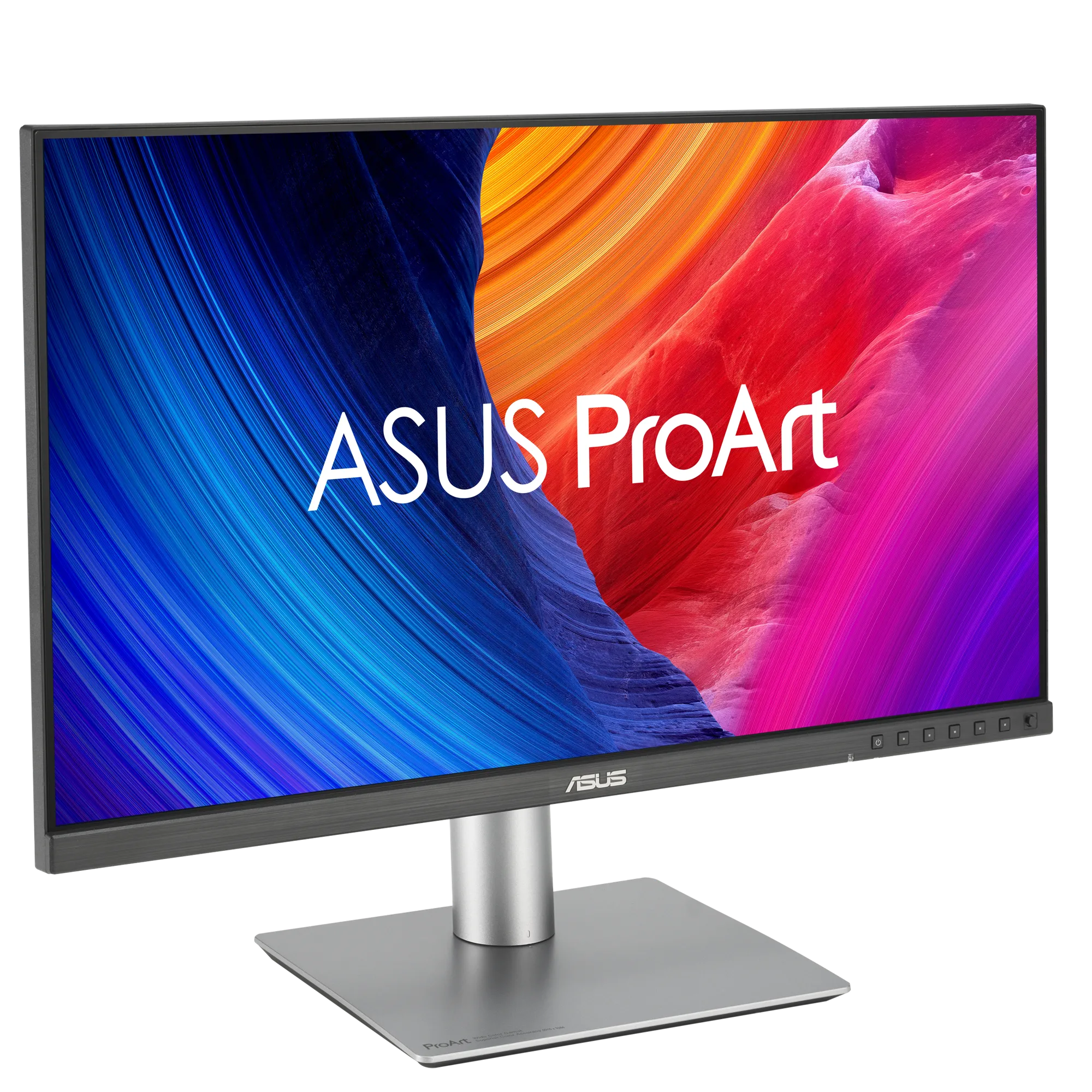
ASUS ProArt PA32QCV
ASUS ProArt PA32QCV
The 6K monitor most Mac owners should buy. 6K at 31.5 inches for $1,299, at the same 218 PPI as a Studio Display, with about 40% more screen. Calman Verified factory calibration, dual Thunderbolt 4 with 96W charging, daisy-chain and KVM, and a fully adjustable stand. The trade-offs are modest HDR and a heavy matte coating.
As an Amazon Associate, RetinaDesk earns from qualifying purchases.
Kuycon
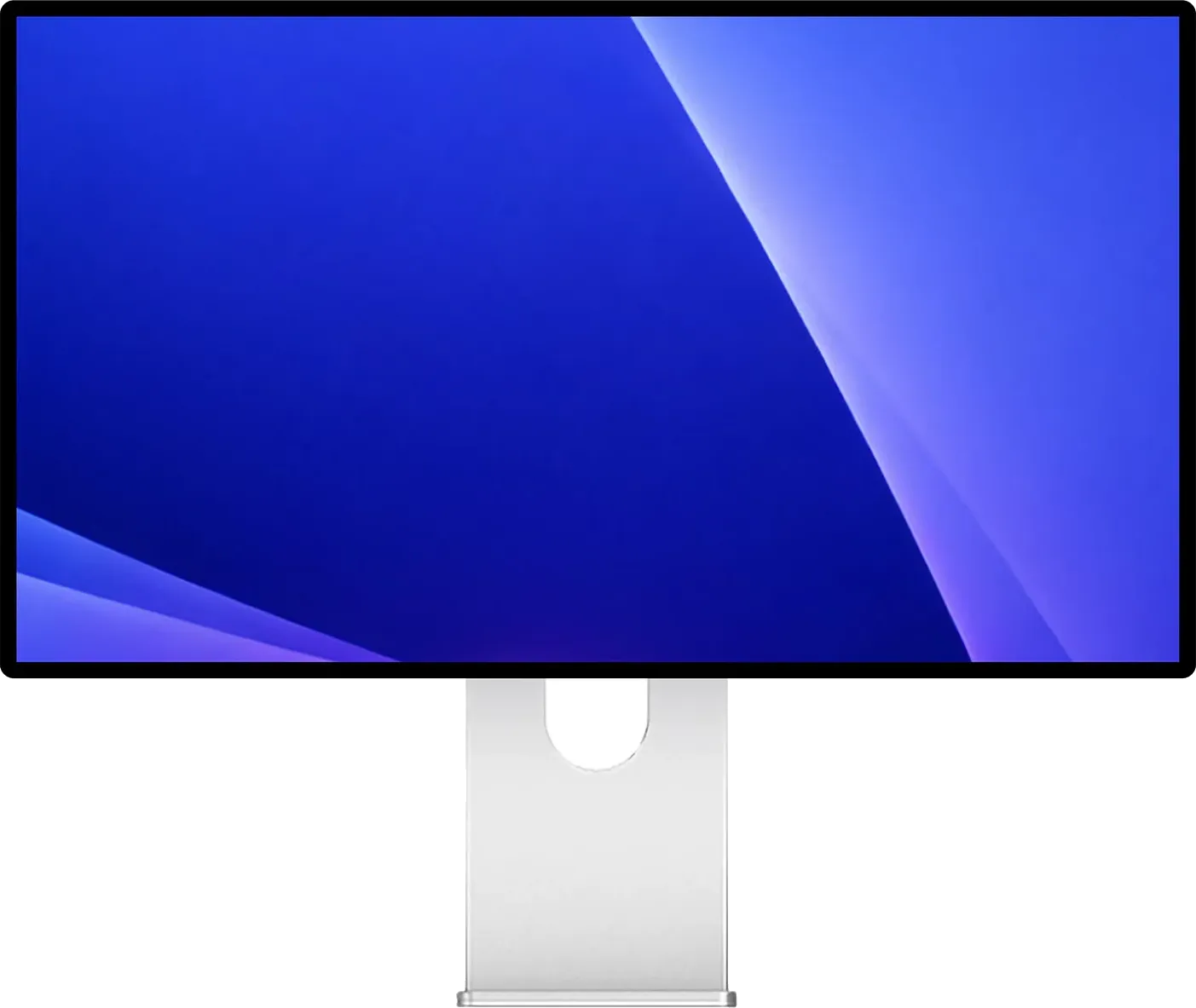
Kuycon G32P / G32X
Kuycon G32P / G32X
Nothing else on sale looks this much like a Pro Display XDR. Real glass, 223 PPI and a rated 2,000:1 on the glossy G32P for about $1,699, or 218 PPI matte on the G32X for $1,399. Lovely panels, but no dock, no speakers, no KVM, a twelve-month warranty, and no independent lab has measured either one yet.
As an Amazon Associate, RetinaDesk earns from qualifying purchases.
Proven value against glossy glass
Both monitors give you Retina-density 6K at 32 inches. macOS renders the Kuycon’s 223 PPI and the ASUS’s 218 PPI identically at 2×. The choice is between the ASUS’s complete package and the Kuycon’s screen.
The Kuycon’s appeal
The Kuycon G32P uses an LG Nano IPS Black panel under fully laminated anti-reflective glass, rated at 2,000:1 contrast and 500 nits. It looks more like Apple’s discontinued Pro Display XDR than anything else on sale, and Amazon bundles include an XDR-style honeycomb stand. A matte sibling, the G32X, costs about $1,399.
Its compromises
The G32P has one USB-C input (100W) and its two downstream USB-C ports run at USB 2.0, so it is not a dock. It has no speakers, no KVM and no daisy-chain. The warranty is one year. Every figure comes from Kuycon, because no independent lab has published measurements yet, and owner reports mention needing to switch the OSD’s DisplayPort mode to 2.1 to get full 6K.
The ASUS’s strengths
The ASUS PA32QCV has two Thunderbolt 4 ports with 96W charging and daisy-chain, a KVM, HDMI and DisplayPort inputs, Calman Verified calibration and DisplayHDR 600. It is widely measured by independent labs and carries a three-year warranty.
Which to buy
Buy the PA32QCV unless the glossy-glass look is the main reason you want a new monitor. If it is, and you already own a dock, the G32P is a lovely screen. Read our Kuycon G32P review for the setup issues first.
Full spec comparison
Every spec side by side. Orange highlights the better value in each row; muted values indicate ties.
| Spec | ASUS ProArt PA32QCV | Kuycon G32P / G32X |
|---|---|---|
| Display | ||
| Resolution | 6016 × 3384 | 6144 × 3456 |
| Screen size | 32" | 32" |
| Pixel density | 218 PPI | 223 PPI |
| Aspect ratio | 16:9 | 16:9 |
| Panel | IPS | Nano IPS Black (LG Nano IPS Black panel under full lamination AR glass (matte IPS on the G32X)) |
| Surface | LuxPixel AGLR (Anti-Glare, Low-Reflection) | Glossy anti-reflective laminated glass (matte 3H anti-glare on the G32X) |
| Backlight | LED | — |
| Refresh rate | 60 Hz | 60 Hz |
| Response time | 5 ms | 5 ms |
| SDR brightness | 400 nits | 500 nits |
| Peak HDR | 600 nits | — |
| Contrast ratio | 1500:1 (3000:1 max) | 2000:1 (1500:1 on the G32X) |
| Colour depth | 10-bit | 10-bit |
| Delta E | < 2 | < 2 |
| HDR certification | VESA DisplayHDR 600 / HDR10 | HDR10 |
| Viewing angles | 178°/178° | 178°/178° |
| Colour gamut | ||
| DCI-P3 | 98% | 99% |
| sRGB | 100% | 99% |
| Connectivity | ||
| Thunderbolt | Thunderbolt 4 (upstream) TB4, 40 Gb/s · Thunderbolt 4 (downstream) TB4, 40 Gb/s | — |
| USB-C (non-TB) | USB-C (downstream) USB 3.2 Gen 1 | USB-C (upstream) DisplayPort 2.1 alt mode, Thunderbolt 4/5 and USB4 compatible · 2× USB-C (downstream) USB 2.0, 480 Mb/s |
| HDMI | HDMI HDMI 2.1 (FRL) | 2× HDMI HDMI 2.1, 48 Gb/s |
| DisplayPort | DisplayPort DP 1.4 DSC | DisplayPort DP 2.1 UHBR20 |
| USB-A | 2× USB-A (downstream) USB 3.2 Gen 1 | — |
| Max Power Delivery | 96W | 100W |
| Daisy-chain | Yes | No |
| KVM switch | Yes | No |
| Ethernet | — | — |
| USB hub | — | 2× USB-C downstream at USB 2.0 speed |
| Audio & video | ||
| Speakers | Integrated speakers (2W × 2 stereo) | — |
| Webcam | — | — |
| Microphones | — | — |
| Physical & stand | ||
| Weight | 9.3 kg | 7.5 kg |
| Dimensions (W×H×D) | — | 71.2 × 41.5 × 2.5 cm (panel only, no stand) |
| Stand | Fully adjustable (height, tilt, swivel, pivot) | Sold separately direct from Kuycon. Amazon bundles include a height, tilt, swivel and pivot stand |
| Height adjustment | 130 mm | — |
| Tilt | +23° to −5° | — |
| Swivel | ±30° | — |
| Pivot | ±90° | — |
| VESA mount | 100 × 100 mm | 100 × 100 mm |
| Calibration | ||
| Factory calibration | Calman Verified | Factory calibrated to Delta E under 2, with a report for your unit on the bundled USB stick |
| Delta E report | Included | Included |
| Hardware calibration | No | No |
| Preset modes | sRGB · DCI-P3 · Display P3 · Rec.709 · HDR_PQ_DCI · HDR_PQ_Rec.2020 · Mac mode · User mode | — |
| Power & support | ||
| Power (typical) | 49.49 W | 60 W |
| Power (max) | — | 170 W |
| Certifications | Calman Verified, VESA Adaptive Sync, Energy Star, TÜV Flicker-free, TÜV Low Blue Light | — |
| Warranty | 3 years with LCD Zero Bright Dot guarantee | 1 year |
| Release year | 2025 | 2025 |
| Price (USD) | $1,299 | $1,699 |
| Our rating | 4.5 / 5 | 4 / 5 |
Our verdict
The ASUS ProArt PA32QCV is our pick here.
The ASUS ProArt PA32QCV is the safer 6K: Thunderbolt 4 docking with daisy-chain, a KVM, Calman-verified colour, a three-year warranty and plenty of independent lab data, for $1,299. The Kuycon G32P is the glossy-glass, Pro Display XDR look-alike at about $1,699, but it has no dock, a one-year warranty and no independent measurements yet.
As an Amazon Associate, RetinaDesk earns from qualifying purchases.
Frequently asked questions
Is the Kuycon G32P a good alternative to the Pro Display XDR?
On looks and panel type, it is the closest thing on sale: a glossy laminated-glass 6K at 223 PPI rated at 2,000:1 contrast. It does not have the XDR's Mini-LED HDR, and no independent lab has measured it yet.
Does the Kuycon G32P work with a MacBook over one cable?
Yes, its USB-C input carries 6K, data and 100W charging. Its two downstream USB-C ports run at USB 2.0 speed only, so it is not a dock.