The best 6K monitors for Mac Studio
A focused guide to every 6K monitor worth buying in 2026, ranked by value, use case, and Mac integration.
- Monitors ranked
- 4 monitors ranked
- Author
- By Parish Khan
- Updated
- Updated
Our picks
The ranked lineup.
ASUS
ASUS ProArt PA32QCV

ASUS
ASUS ProArt PA32QCV
$1,299
The most praised Mac monitor by reviewers of the last five years. 6K at 31.5 inches for $1299 is very rare in the Mac market. Large display with Retina density is now a better purchase for anyone rather than a studio display. The best feature of this monitor is Calman Verified factory calibration, dual Thunderbolt 4 with KVM, and the anti glare coating.
LG
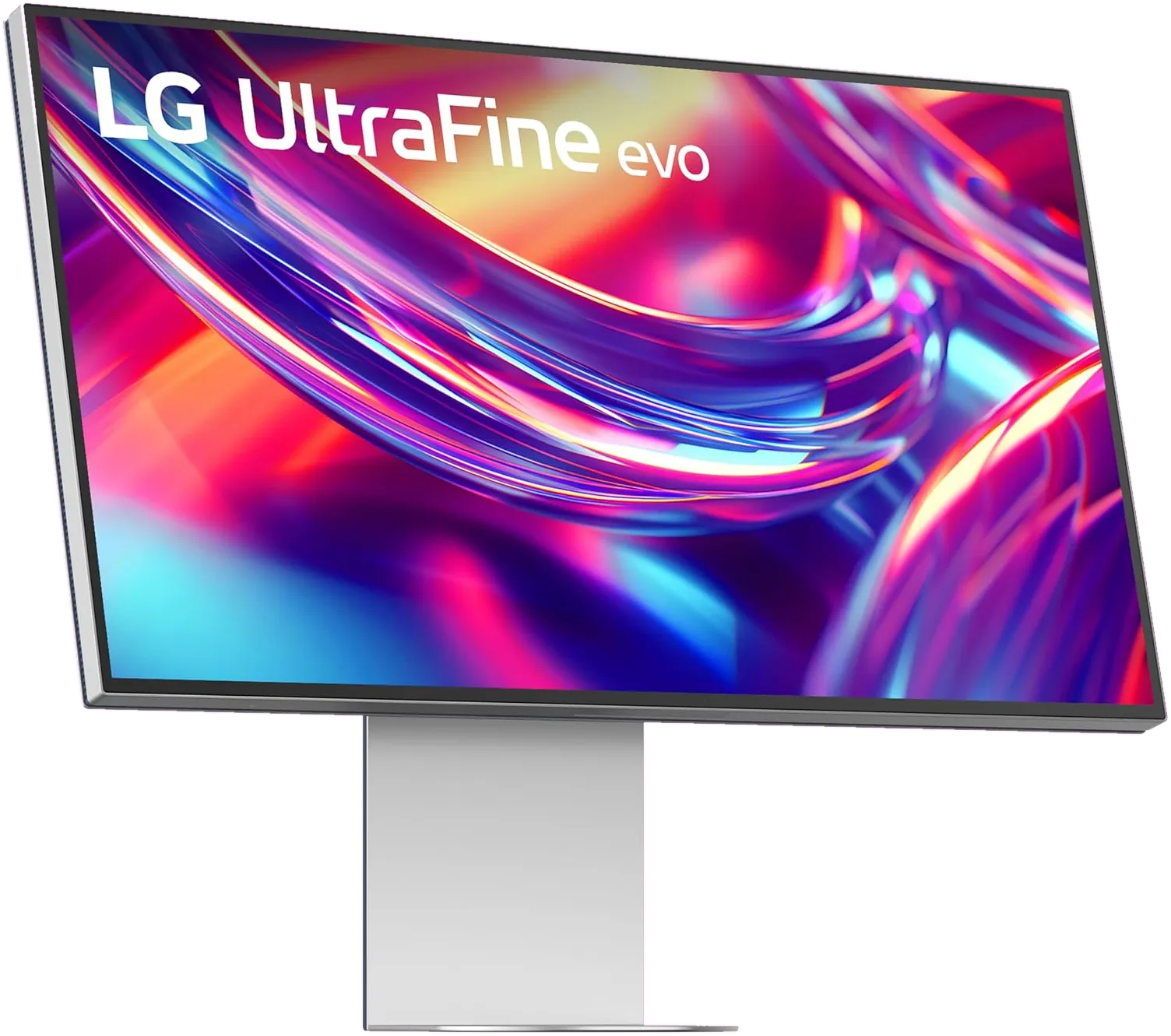
LG UltraFine evo 6K
LG
LG UltraFine evo 6K
$1,999
The world very first 6K monitor with Thunderbolt 5 and LG's dramatic comeback to the Mac monitor market. It offers Nano IPS Black panel with 2000:1 contrast, 98% DCI-P3 with 99.5% Adobe RGB. And one cable 80Gb/s connection to your Mac. At $1999 retail it is a really hard sell over the ASUS PA32QCV. But on the other hand it is the most future proof 6K you can buy
Kuycon
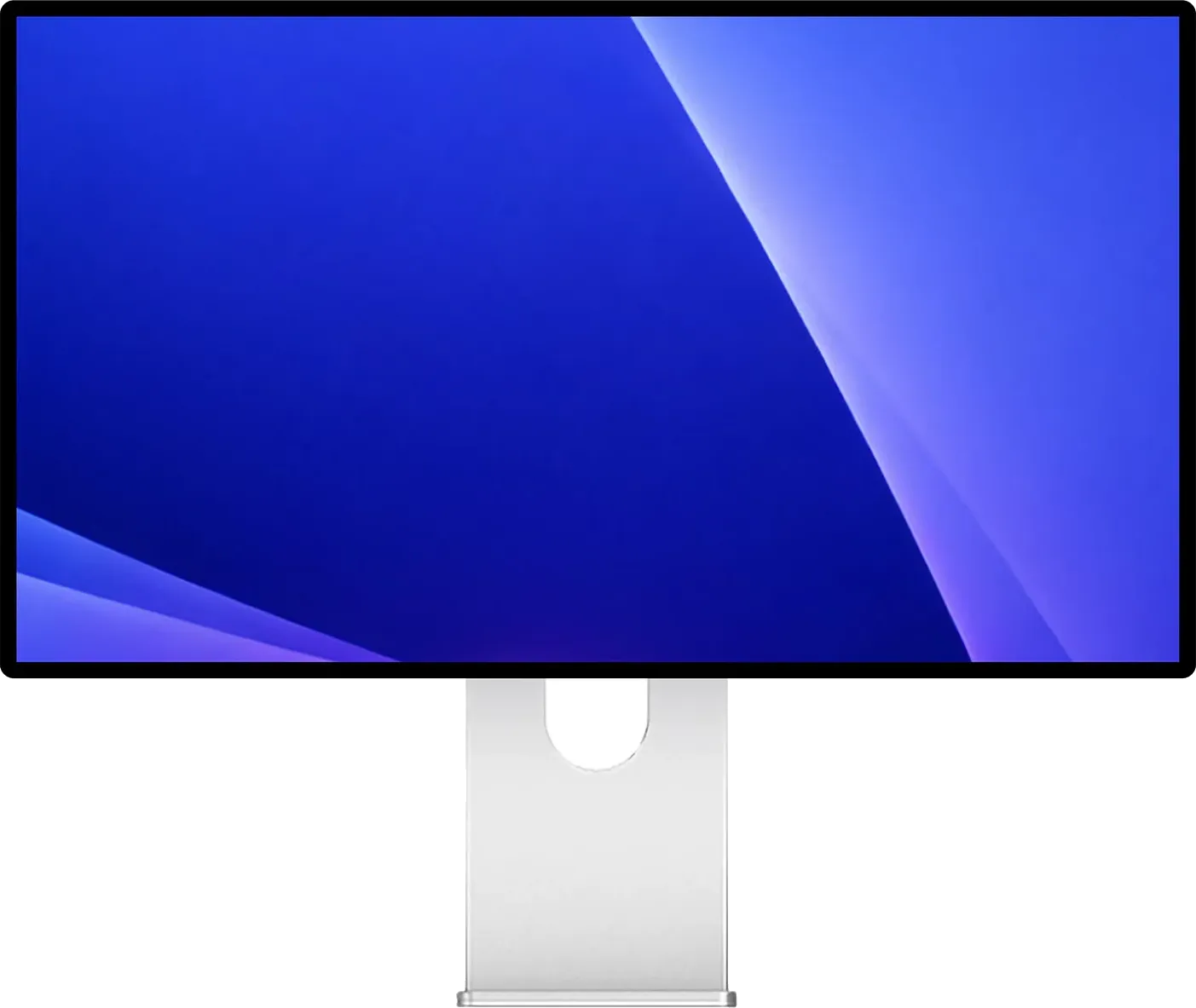
Kuycon G32P / G32X
Kuycon
Kuycon G32P / G32X
$1,699
Nothing else still on sale looks this much like a Pro Display XDR. Real glass, 223 PPI and 2000:1 on the glossy G32P for around $1699, or 218 PPI on the matte G32X for $1399. Lovely panels. But no dock, no speakers, no KVM, twelve months of warranty, and not one independent lab has measured either of them.
Dell
Dell UltraSharp U3224KB

Dell
Dell UltraSharp U3224KB
$2,399
This monitor is enterprise ready. One of the premium monitor in 6k category. Dell built this monitor for real power users. They integrated 4K IR webcam and dual array with beam forming mics. Thunderbolt 4 with 140W power delivery. Gigabit Ethernet pass through via monitor. Starting price at $2399, it costs $1000 more than the ASUS PA32QCV with pro features included
Why 6K on a Mac Studio
The Mac Studio lives on your desk with a screen in front of you. Unlike a MacBook Pro it isn’t comes with a 14 or 16 inch built in display. It has no built in display. Everything you see and experience comes from the external monitor. That changes the math on what you should buy.
If you are a owner of a Mac Studio then it’s not really about Retina density anymore. The real question is how much of that Retina space you actually want.
- 27 inch 5K will give you 218 PPI on a 14.9 million pixel canvas
- 32 inch 6K gives you 218 PPI on a 20.8 million pixel canvas, about 40% more display area
If you spend your day working with Final Cut Pro, Xcode, Figma, DaVinci Resolve, Logic Pro, or any multi panel tool then that 40% massively improve your work. You stop closing panels. You stop alt tabbing. You just put two docs side by side in full size and work like that. You can run Final Cut with the source monitor and program monitor both at full resolution.
6K is the right choice for any Mac Studio owner if you can afford it. 5K also works fine but if you are already committing to a desktop Mac workflow then the extra canvas is worth it.
The picks
1. Best for nearly everyone: ASUS ProArt PA32QCV ($1,299)
ASUS ProArt PA32QCV is the most consequential monitor in the last three years. 6K, 32 inch, 218 PPI, factory Calman calibrated, Thunderbolt 4 with 96W charging. It’s like you getting almost 90% of what the Pro Display XDR used to offer But with a quarter of the price. Read the full review →
Who it’s for? If you want a 6K display without breaking the banks. This is the right choice for most of the Mac Studio buyers.
2. Best for Thunderbolt 5 setups: LG UltraFine evo 32U990A ($1,999)
The LG UltraFine evo is the world’s first 6K monitor with Thunderbolt 5. Nano IPS Black panel with 2000:1 contrast, 98% DCI-P3 plus 99.5% Adobe RGB, and a downstream TB5 port that can daisy chain a second 6K display from a single Mac Studio port. Retail is $1,999 but the street price drops to $1,299 very often. At that price it goes head to head with the ASUS and wins on panel tech. Read the full review →
Who it’s for? Mac Studio owners who want their Thunderbolt 5 ports actually utilised. And photographers who need real Adobe RGB coverage.
3. Best for a glass front: Kuycon G32P ($1,699)
Nobody has heard of Kuycon, and that is the main thing keeping this monitor off the top of the list. What it has that nothing else here does is glass. Real laminated glass on the front, 6144 × 3456 at 223 PPI, Nano IPS Black behind it, 500 nits, 2000:1, wrapped in aluminium with a honeycomb back that is not even pretending to be an original design. A matte version, the G32X, goes for $1,399. Read the full review →
Who it’s for? People who want the Pro Display XDR look back and already have a dock, because this monitor will not be one. No hub, no speakers, no camera, twelve months of warranty.
4. Best for enterprises: Dell UltraSharp U3224KB ($3,199)
Dell UltraSharp U3224KB is the pick for IT genius. It has integrated 4K webcam, full USB hub and Dell Pro Support with next business day warranty. But it cost $1900 more than the ASUS for features most individuals never need but enterprises do. Read the full review →
Who it’s for? If your company is buying it for you or you need something robost for your IT department.
How we picked
Every monitor in this list has the following features in common-
- All delivers native 6k 6016 × 3384 or higher resolution at 32 inches with 218 PPI Retina density
- Supports of Thunderbolt connection with at least 90W power delivery
- Offers factory calibrated color in the P3 color space
- Can be bought new in 2026
The Mac Studio pairing
Apple refreshed the Mac Studio in September 2026, and the display maths changed with it.
The M5 Max Mac Studio drives four 6K displays at once, one per rear Thunderbolt 5 port, with a fifth display available over HDMI at up to 5K 60Hz. Four PA32QCV panels on a $2,499 M5 Max works out around $7,695 for the whole rig. The same four screens were simply not purchasable at any price in 2019.
The M5 Ultra Mac Studio drives eight 6K displays. For video walls, teaching labs or multi operator studios that is still the most display output you can buy from Apple, matched only by the Mac Pro. Two things to plan for. Those eight are split across two port groups of four — the two front Thunderbolt ports plus the rear HDMI in one group, the four rear Thunderbolt ports in the other — so you cannot run six monitors all plugged into the back. And getting to eight needs a daisy chain or a dock on the front pair, because there are only seven display capable ports on the chassis.
If you are on the previous generation, nothing here is a downgrade: the M4 Max Studio also drives four 6K displays and the M3 Ultra also drives eight. What the 2026 machines add at the top end is headroom rather than screen count — four displays at 8K 60 or 5K 120 on the M5 Ultra, where the M3 Ultra managed the same four. The one genuine gain is the multi display refresh ceiling, which moves from 4K 144 to 4K 165. It does nothing for 6K owners, since 6K is 60Hz either way.
One caveat that catches people on the Max configuration: the two USB-C ports on the front of an M5 Max Mac Studio are not Thunderbolt and drive no display at all. Apple says so outright on the spec page. Every monitor goes on the back. The Mac port checker marks the dead ports for your exact model, and the external display support tool will tell you whether a given combination is one Apple actually sanctions.
The short answer
Most Mac Studio owners should buy the ASUS ProArt PA32QCV. It is the best value 6K Mac monitor on the market by a huge margin. But check the LG UltraFine evo price before you order. When it is on sale at $1,299 the LG gives you Thunderbolt 5 and a better panel for the same money. If what you actually miss is the glass front of the old Apple panel then the Kuycon G32P is the only one left that has it. Only go elsewhere if your company is buying or you specifically need HDR reference grading. In that case, look at the 27 inch Apple Studio Display XDR. Since Apple Pro Display XDR is discontinued.
Frequently asked questions
Is 6K monitor worth it over 5K for a Mac Studio?
Most of the Mac Studio or Mac Pro users doing video editing, photography, or working with multi timeline apps. A 6K at 32 inche monitor will give you around 40 percent more canvas. And the 218 PPI Retina density is same as a 27 inch 5K. But For simple productivity the larger and higher cost are harder to justify.
Which Mac can drive a 6K monitor?
Almost every Apple silicon Mac drives a 6K display over Thunderbolt 3, 4 or 5, going all the way back to the M1, as long as the panel supports DSC. The one exception is the MacBook Neo, which has no Thunderbolt at all and stops at 4K 60Hz, so 6K panels will not work on it. Older Intel Macs are limited to DSC certified 6K panels. For multiple 6K displays at once you want a Mac Studio: the M5 Max drives four of them and the M5 Ultra drives eight, and the M4 Max and M3 Ultra before them do the same.
Is the Pro Display XDR still a good buy in 2026?
Apple discontinued the Pro Display XDR in March 2026. Aftermarket stock still available on Amazon and other shops. the panel is still very capable for HDR work. But the single Thunderbolt 3 port is dated and there is no manufacturer warranty on fresh units.
What is the cheapest 6K monitor that works well with Mac Studio?
The ASUS ProArt PA32QCV is the currently the cheapest 6K monitor at around $1,299. It delivers Retina density and reference factory calibration at roughly a quarter of the original Pro Display XDR price.
Can I get 6K at 120 Hz on a Mac?
No. Apple caps 6K at 60Hz on every Mac it sells, including the M5 Max and M5 Ultra Mac Studio it shipped in September 2026, and no manufacturer is shipping a 6K panel above 60Hz anyway. If high refresh matters more to you than canvas then 5K at 120Hz is the Retina density option, on the Apple Studio Display XDR. That does not need Thunderbolt 5, despite what gets repeated: 5K 120 fits inside DisplayPort 1.4 with compression, so any M2 Pro or newer Mac can drive it.
Keep reading
Other buying guides
-
Guide
The best 5K monitors for MacBook Pro
Every Retina-density 27-inch 5K monitor worth buying in 2026, ranked by value, build, and Mac integration.
Read guide -
Guide
Apple Studio Display alternatives
Every monitor that beats or rivals the Studio Display in 2026, ranked by who each one is actually for.
Read guide
Keep exploring RetinaDesk
More useful hubs if you're still narrowing the pick.