BenQ MA270S vs BenQ PD2730S
The short answer
Both are 27-inch 5K Thunderbolt 4 monitors from BenQ. Choose the MA270S ($999) for general Mac use: it has a glossy-looking Nano Gloss screen, 70 Hz and a Mac colour mode. Choose the PD2730S ($1,199) for colour-critical photo or video work: it adds Calman and Pantone verification, a printed calibration report and a matte surface.
By Parish Khan · Research-based comparison, how we work · Updated October 17, 2026
BenQ
BenQ MA270S

BenQ MA270S
The best-value 5K monitor for Mac. It matches the Studio Display's 218 PPI for $999 and adds a height-adjustable stand, dual Thunderbolt 4 with 96W charging and daisy-chain, a 70 Hz panel, a KVM and a Mac-tuned colour mode. There is no camera and the speakers are basic, but you save $600.
As an Amazon Associate, RetinaDesk earns from qualifying purchases.
BenQ
BenQ PD2730S
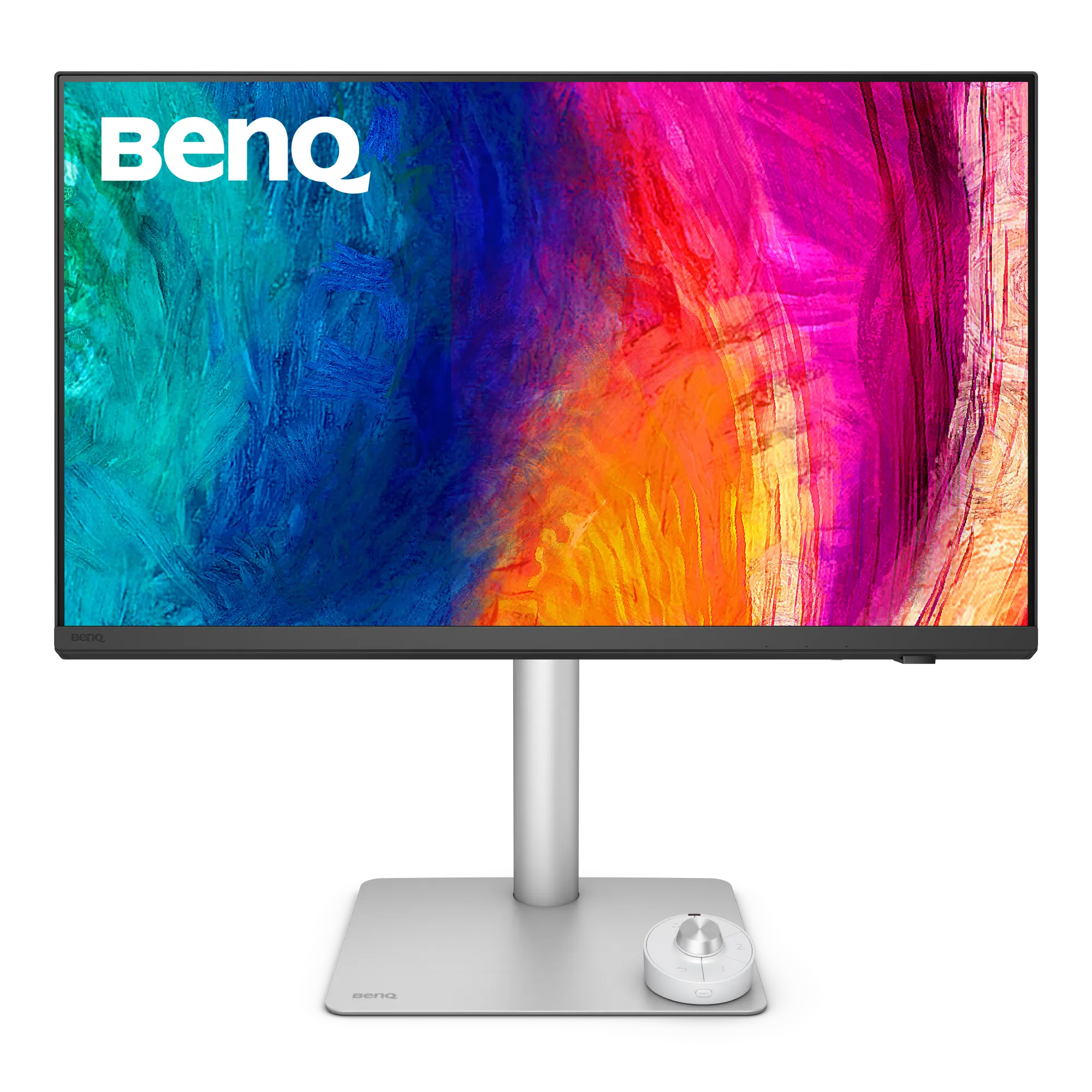
BenQ PD2730S
The 5K for Mac colour professionals who don't want reference-monitor prices. Factory Calman and Pantone verified with a printed Delta E report, a Nano Matte surface, Thunderbolt 4 with daisy-chain, a hardware KVM and a full ergonomic stand. The most professional 5K Mac monitor under $1,500.
As an Amazon Associate, RetinaDesk earns from qualifying purchases.
Same family, different jobs
BenQ sells two 27-inch 5K monitors for Mac, and they share more than they differ: 5120 × 2880 at 218 PPI, Thunderbolt 4 upstream and downstream, daisy-chain support, a KVM and a fully adjustable stand with 150 mm of height travel. The choice comes down to surface, colour verification and $200.
Screen surface
The MA270S uses Nano Gloss, which keeps the contrast and crisp look of a glossy screen while cutting reflections. Next to a MacBook it looks the most similar. The PD2730S uses Nano Matte, which diffuses reflections more strongly. It is the safer choice in a bright room or opposite a window, at the cost of a slightly softer look.
Colour
The PD2730S is the colour-critical model: Calman and Pantone verified, an average Delta E of 2 or better, 98% DCI-P3 and 100% Rec.709, and a printed calibration report in the box. The MA270S targets 99% Display P3 with an M-book mode that matches macOS colour rendering. Independent lab results put the MA270S’s colour accuracy among the best measured (see the MA270S review), so for everyday work the gap is smaller than the spec sheets suggest.
Power and refresh
The MA270S charges at 96W against the PD2730S’s 90W, which matters for a 16-inch MacBook Pro under load. The MA270S also runs at 70 Hz instead of 60 Hz, a small but visible step in smoothness.
Which to buy
Pick the MA270S unless you have a specific reason to want the PD2730S. That means paid colour work, a bright room, or a client who asks for a calibration report.
Full spec comparison
Every spec side by side. Orange highlights the better value in each row; muted values indicate ties.
| Spec | BenQ MA270S | BenQ PD2730S |
|---|---|---|
| Display | ||
| Resolution | 5120 × 2880 | 5120 × 2880 |
| Screen size | 27" | 27" |
| Pixel density | 218 PPI | 218 PPI |
| Aspect ratio | 16:9 | 16:9 |
| Panel | IPS | IPS |
| Surface | Nano Gloss | Nano Matte |
| Backlight | — | — |
| Refresh rate | 70 Hz | 60 Hz |
| Response time | 5 ms | — |
| SDR brightness | 450 nits | 400 nits |
| Peak HDR | — | — |
| Contrast ratio | 2000:1 | 2000:1 |
| Colour depth | 10-bit | 10-bit |
| Delta E | — | Average ≤ 2 |
| HDR certification | VESA DisplayHDR 400 / HDR10 | VESA DisplayHDR 400 / HDR10 |
| Viewing angles | 178°/178° | 178°/178° |
| Colour gamut | ||
| DCI-P3 | — | 98% |
| Display P3 | 99% | — |
| sRGB | 99% | 100% |
| Rec.709 | — | 100% |
| Connectivity | ||
| Thunderbolt | Thunderbolt 4 (upstream) TB4, 40 Gb/s · Thunderbolt 4 (downstream) TB4, 40 Gb/s | Thunderbolt 4 (upstream) TB4, 40 Gb/s · Thunderbolt 4 (downstream) TB4, 40 Gb/s |
| USB-C (non-TB) | USB-C (upstream) USB 3.2 Gen 2, DP Alt Mode · USB-C (downstream) USB 3.2 Gen 2, 10 Gb/s | USB-C (data upstream) USB 3.2 · USB-C (downstream) USB 3.2, 7.5W |
| HDMI | 2× HDMI HDMI 2.1 | HDMI HDMI 2.1 |
| DisplayPort | — | DisplayPort DP 1.4 |
| USB-A | 2× USB-A (downstream) USB 3.2 Gen 2, 10 Gb/s | 3× USB-A USB 3.2 |
| Max Power Delivery | 96W | 90W |
| Daisy-chain | Yes | Yes |
| KVM switch | Yes | Yes |
| Ethernet | — | — |
| USB hub | — | — |
| Audio & video | ||
| Speakers | 2× 3W stereo (6W total) | 2× 3W stereo |
| Webcam | — | — |
| Microphones | — | — |
| Physical & stand | ||
| Weight | 8.64 kg | 8.3 kg |
| Dimensions (W×H×D) | 614 × 579.91 × 220.2 mm (with stand, max height) | — |
| Stand | Fully adjustable (height, tilt, swivel, pivot) | Fully adjustable (height, tilt, swivel, pivot) |
| Height adjustment | 150 mm | 150 mm |
| Tilt | −5° to +20° | −5° to +20° |
| Swivel | ±15° | ±30° |
| Pivot | 90° | 90° |
| VESA mount | 100 × 100 mm | 100 × 100 mm |
| Calibration | ||
| Factory calibration | BenQ AQCOLOR with Mac-specific P3 calibration | Calman Verified + Pantone Validated + Pantone SkinTone |
| Delta E report | No | Included |
| Hardware calibration | No | Yes |
| Preset modes | Display P3 · sRGB · HDR · M-book · Cinema · Game · ePaper · User | Display P3 · DCI-P3 · Rec.709 · sRGB · HDR · M-Book mode · Dark Room · CAD/CAM · Animation · DICOM · User 1 · User 2 |
| Power & support | ||
| Power (typical) | 29 W | — |
| Power (max) | 280 W | — |
| Certifications | TÜV Eye Comfort 3.0, EyeSafe 2.0, Energy Star | — |
| Warranty | 3-year limited warranty | 3-year limited warranty with advance-exchange policy |
| Release year | 2026 | 2025 |
| Price (USD) | $999 | $1,199 |
| Our rating | 4.5 / 5 | 4.5 / 5 |
Our verdict
It depends on what your desk needs.
Both are 27-inch 5K Thunderbolt 4 monitors from BenQ. Choose the MA270S ($999) for general Mac use: it has a glossy-looking Nano Gloss screen, 70 Hz and a Mac colour mode. Choose the PD2730S ($1,199) for colour-critical photo or video work: it adds Calman and Pantone verification, a printed calibration report and a matte surface.
As an Amazon Associate, RetinaDesk earns from qualifying purchases.
Frequently asked questions
What is the difference between the BenQ MA270S and PD2730S?
Same resolution, size and Thunderbolt 4 daisy-chain support. The MA270S is tuned for everyday Mac use (Nano Gloss, 70 Hz, 96W charging, M-book mode); the PD2730S is a designer monitor (Nano Matte, Calman and Pantone verified, printed calibration report, 90W charging).
Which BenQ 5K monitor is better for a MacBook Pro?
For most MacBook Pro owners the MA270S, because it charges at 96W and costs less. Pick the PD2730S if colour accuracy is part of your job.