ASUS ProArt PA27JCV vs BenQ PD2730S
The short answer
The BenQ PD2730S is the better monitor: Thunderbolt 4, daisy-chain, a hardware KVM and a printed calibration report. The ASUS ProArt PA27JCV gets you the same 218 PPI sharpness and a similar colour-accurate panel for $400 less. Pay for the BenQ if you need Thunderbolt or a two-monitor setup; otherwise the ASUS is the value pick.
By Parish Khan · Research-based comparison, how we work · Updated October 17, 2026
ASUS
ASUS ProArt PA27JCV

ASUS ProArt PA27JCV
The budget 5K that opened a new price tier. 218 PPI Retina density, 99% DCI-P3 and 95% Adobe RGB, Calman Verified Delta E under 2, DisplayHDR 500 and 96W USB-C charging for $799. You give up Thunderbolt, a camera and premium build, but it is the cheapest legitimate Retina monitor for Mac.
As an Amazon Associate, RetinaDesk earns from qualifying purchases.
BenQ
BenQ PD2730S
BenQ PD2730S
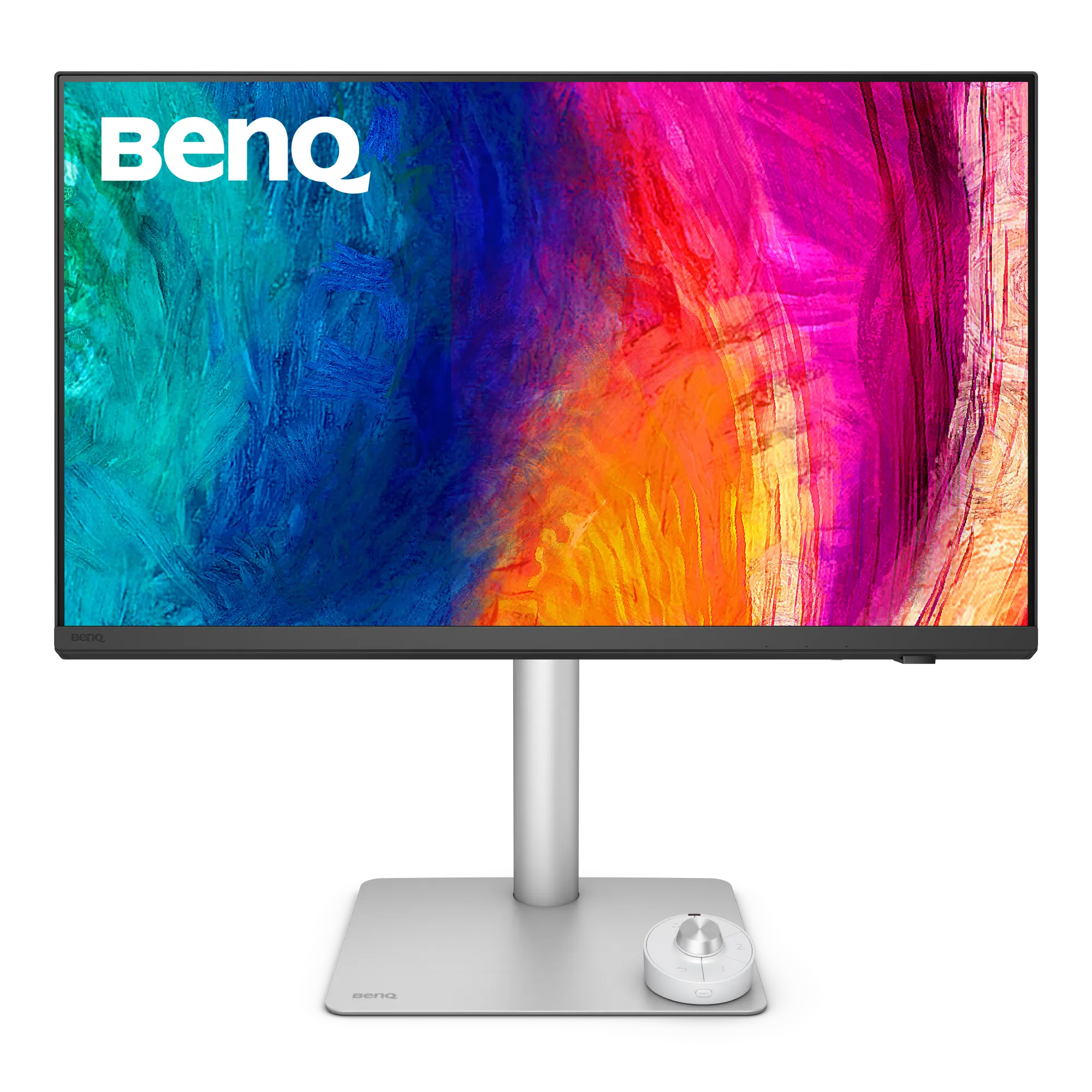
The 5K for Mac colour professionals who don't want reference-monitor prices. Factory Calman and Pantone verified with a printed Delta E report, a Nano Matte surface, Thunderbolt 4 with daisy-chain, a hardware KVM and a full ergonomic stand. The most professional 5K Mac monitor under $1,500.
As an Amazon Associate, RetinaDesk earns from qualifying purchases.
Two colour-focused 5K monitors, $400 apart
Both of these are aimed at people who edit photos and video on a Mac, and both are 27-inch 5K panels at 218 PPI, so macOS looks equally sharp on either. They differ in how they connect to your Mac and how much verification comes in the box.
Thunderbolt versus USB-C
The BenQ PD2730S has Thunderbolt 4 upstream with 90W charging and a Thunderbolt 4 downstream port for daisy-chaining a second monitor. A hardware KVM lets one keyboard and mouse follow you between your Mac and a second machine on HDMI or DisplayPort.
The ASUS PA27JCV connects over USB-C with DisplayPort Alt Mode and 96W charging. One cable still handles picture, power and the USB hub for a single MacBook. It cannot daisy-chain, and its hub shares bandwidth with the display.
Colour and calibration
The PD2730S is Calman and Pantone verified, ships with a printed Delta E report, and uses BenQ’s Nano Matte surface with 98% DCI-P3. The PA27JCV is Calman Verified at Delta E under 2, covers 99% DCI-P3 and 95% Adobe RGB, and adds DisplayHDR 500 against the BenQ’s DisplayHDR 400. On paper the ASUS has the wider gamut; the BenQ has the more thorough documentation.
Which to buy
If you run one display on one MacBook and mostly edit photos, the PA27JCV does the job for $799. If your desk involves a second monitor, a second computer or a Thunderbolt dock replacement, the PD2730S earns its price. If you would like Thunderbolt but colour verification is less important, the BenQ MA270S sits between the two at $999.
Full spec comparison
Every spec side by side. Orange highlights the better value in each row; muted values indicate ties.
| Spec | ASUS ProArt PA27JCV | BenQ PD2730S |
|---|---|---|
| Display | ||
| Resolution | 5120 × 2880 | 5120 × 2880 |
| Screen size | 27" | 27" |
| Pixel density | 218 PPI | 218 PPI |
| Aspect ratio | 16:9 | 16:9 |
| Panel | IPS | IPS |
| Surface | LuxPixel AGLR (Anti-Glare, Low-Reflection) | Nano Matte |
| Backlight | LED | — |
| Refresh rate | 60 Hz | 60 Hz |
| Response time | 5 ms | — |
| SDR brightness | 400 nits | 400 nits |
| Peak HDR | 500 nits | — |
| Contrast ratio | 1500:1 | 2000:1 |
| Colour depth | 10-bit | 10-bit |
| Delta E | < 2 | Average ≤ 2 |
| HDR certification | VESA DisplayHDR 500 / HDR10 | VESA DisplayHDR 400 / HDR10 |
| Viewing angles | 178°/178° | 178°/178° |
| Colour gamut | ||
| DCI-P3 | 99% | 98% |
| sRGB | 100% | 100% |
| Adobe RGB | 95% | — |
| Rec.709 | — | 100% |
| Connectivity | ||
| Thunderbolt | — | Thunderbolt 4 (upstream) TB4, 40 Gb/s · Thunderbolt 4 (downstream) TB4, 40 Gb/s |
| USB-C (non-TB) | USB-C (DP Alt Mode) USB 3.2 Gen 1 · USB-C (downstream) USB 3.2 Gen 1 | USB-C (data upstream) USB 3.2 · USB-C (downstream) USB 3.2, 7.5W |
| HDMI | HDMI 2.1 (FRL) | HDMI HDMI 2.1 |
| DisplayPort | DisplayPort 1.4 | DisplayPort DP 1.4 |
| USB-A | 3× USB-A (downstream) USB 3.2 Gen 1 | 3× USB-A USB 3.2 |
| Max Power Delivery | 96W | 90W |
| Daisy-chain | No | Yes |
| KVM switch | Yes | Yes |
| Ethernet | — | — |
| USB hub | — | — |
| Audio & video | ||
| Speakers | 2W × 2 stereo | 2× 3W stereo |
| Webcam | — | — |
| Microphones | — | — |
| Physical & stand | ||
| Weight | 5.91 kg | 8.3 kg |
| Dimensions (W×H×D) | 61.22 × 53.81 × 21.50 cm (with stand) | — |
| Stand | Fully adjustable (height, tilt, swivel, pivot) | Fully adjustable (height, tilt, swivel, pivot) |
| Height adjustment | 130 mm | 150 mm |
| Tilt | +23° to −5° | −5° to +20° |
| Swivel | ±30° | ±30° |
| Pivot | ±90° | 90° |
| VESA mount | 100 × 100 mm | 100 × 100 mm |
| Calibration | ||
| Factory calibration | Calman Verified | Calman Verified + Pantone Validated + Pantone SkinTone |
| Delta E report | Included | Included |
| Hardware calibration | No | Yes |
| Preset modes | sRGB · Adobe RGB · DCI-P3 · Display P3 · Rec.709 · HDR_PQ_DCI · HDR_PQ_Rec.2020 · DICOM · User mode | Display P3 · DCI-P3 · Rec.709 · sRGB · HDR · M-Book mode · Dark Room · CAD/CAM · Animation · DICOM · User 1 · User 2 |
| Power & support | ||
| Power (typical) | 31 W | — |
| Power (max) | 45 W | — |
| Certifications | VESA DisplayHDR 500, VESA MediaSync, Calman Verified, EPEAT Gold, Energy Star, TÜV Flicker-free, TÜV Low Blue Light | — |
| Warranty | 3 years with LCD Zero Bright Dot (ZBD) guarantee | 3-year limited warranty with advance-exchange policy |
| Release year | 2025 | 2025 |
| Price (USD) | $799 | $1,199 |
| Our rating | 4 / 5 | 4.5 / 5 |
Our verdict
It depends on what your desk needs.
The BenQ PD2730S is the better monitor: Thunderbolt 4, daisy-chain, a hardware KVM and a printed calibration report. The ASUS ProArt PA27JCV gets you the same 218 PPI sharpness and a similar colour-accurate panel for $400 less. Pay for the BenQ if you need Thunderbolt or a two-monitor setup; otherwise the ASUS is the value pick.
As an Amazon Associate, RetinaDesk earns from qualifying purchases.
Frequently asked questions
Is the BenQ PD2730S worth $400 more than the ASUS PA27JCV?
Only if you will use what the money buys: Thunderbolt 4 with 90W charging, daisy-chain to a second display, a hardware KVM and a printed calibration report. Image sharpness is identical.
Which has the more accurate colour?
Both ship factory calibrated to an average Delta E of about 2 or better. The PD2730S is Calman and Pantone verified with a printed report; the PA27JCV is Calman Verified and publishes 95% Adobe RGB.