Apple Studio Display vs ASUS ProArt PA32QCV
The short answer
For $300 less than the Apple Studio Display, the ASUS ProArt PA32QCV gives you a bigger 32-inch 6K screen at the same 218 PPI, with Thunderbolt 4, a KVM and a fully adjustable stand. The Studio Display is the better choice if you want its 12MP camera, six speakers and a compact 27-inch footprint.
By Parish Khan · Research-based comparison, how we work · Updated October 17, 2026
Apple
Apple Studio Display

Apple Studio Display
The simplest 27-inch 5K for a Mac. A 218 PPI P3 panel, one Thunderbolt 5 cable for picture, charging and data, the best camera in any monitor and six speakers that sound like a decent desktop set. You pay an Apple premium, and you get Apple polish in return.
As an Amazon Associate, RetinaDesk earns from qualifying purchases.
ASUS
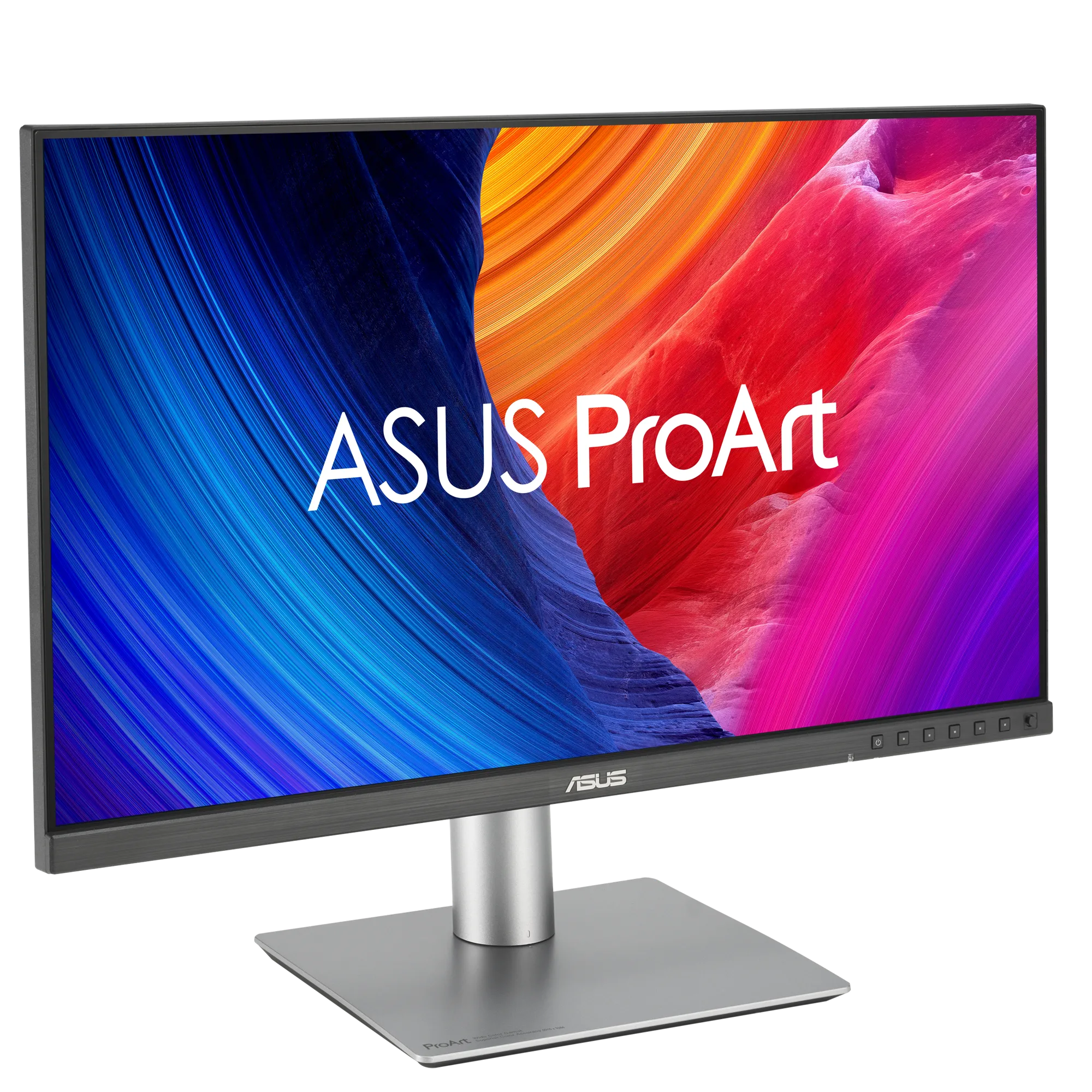
ASUS ProArt PA32QCV
ASUS ProArt PA32QCV
The 6K monitor most Mac owners should buy. 6K at 31.5 inches for $1,299, at the same 218 PPI as a Studio Display, with about 40% more screen. Calman Verified factory calibration, dual Thunderbolt 4 with 96W charging, daisy-chain and KVM, and a fully adjustable stand. The trade-offs are modest HDR and a heavy matte coating.
As an Amazon Associate, RetinaDesk earns from qualifying purchases.
27-inch 5K or 32-inch 6K
This is the most common decision for Mac owners spending around $1,500. Both monitors are 218 PPI, so text and UI are equally sharp and the same physical size. The 32-inch 6K simply shows more of it.
The Studio Display’s case
The Apple Studio Display is the complete package: 12MP Center Stage camera, three-mic array, six speakers with Spatial Audio, 600 nits, Thunderbolt 5 with 96W charging and daisy-chain, and an aluminium enclosure with firmware updates through macOS. Its standard stand only tilts; height adjustment is a $400 option.
The PA32QCV’s case
The ASUS ProArt PA32QCV gives you 6016 × 3384 pixels, about 40% more desktop, with Calman Verified colour, DisplayHDR 600 and a Mac mode preset. It has two Thunderbolt 4 ports with 96W charging and daisy-chain, HDMI and DisplayPort inputs with a KVM, and a stand with 130 mm of height, swivel and pivot included. It has basic speakers and no camera.
Which to buy
If you live on video calls or want one tidy box, choose the Studio Display. If you would rather have the screen space, and already own or will add a $150 webcam, the PA32QCV gives you more monitor for less money. Check that your Mac drives 6K at full resolution with our external display support tool.
Full spec comparison
Every spec side by side. Orange highlights the better value in each row; muted values indicate ties.
| Spec | Apple Studio Display | ASUS ProArt PA32QCV |
|---|---|---|
| Display | ||
| Resolution | 5120 × 2880 | 6016 × 3384 |
| Screen size | 27" | 32" |
| Pixel density | 218 PPI | 218 PPI |
| Aspect ratio | 16:9 | 16:9 |
| Panel | LED-backlit IPS | IPS |
| Surface | Anti-reflective (nano-texture optional) | LuxPixel AGLR (Anti-Glare, Low-Reflection) |
| Backlight | LED | LED |
| Refresh rate | 60 Hz | 60 Hz |
| Response time | — | 5 ms |
| SDR brightness | 600 nits | 400 nits |
| Peak HDR | — | 600 nits |
| Contrast ratio | — | 1500:1 (3000:1 max) |
| Colour depth | 10-bit | 10-bit |
| Delta E | — | < 2 |
| HDR certification | — | VESA DisplayHDR 600 / HDR10 |
| Viewing angles | 178°/178° | 178°/178° |
| Colour gamut | ||
| DCI-P3 | — | 98% |
| Display P3 | 100% | — |
| sRGB | 100% | 100% |
| Connectivity | ||
| Thunderbolt | Thunderbolt 5 (upstream) TB5, 120 Gb/s · Thunderbolt 5 (downstream) TB5, 120 Gb/s | Thunderbolt 4 (upstream) TB4, 40 Gb/s · Thunderbolt 4 (downstream) TB4, 40 Gb/s |
| USB-C (non-TB) | 2× USB-C USB 3, 10 Gb/s | USB-C (downstream) USB 3.2 Gen 1 |
| HDMI | — | HDMI HDMI 2.1 (FRL) |
| DisplayPort | — | DisplayPort DP 1.4 DSC |
| USB-A | — | 2× USB-A (downstream) USB 3.2 Gen 1 |
| Max Power Delivery | 96W | 96W |
| Daisy-chain | Yes | Yes |
| KVM switch | No | Yes |
| Ethernet | — | — |
| USB hub | — | — |
| Audio & video | ||
| Speakers | Six-speaker system with force-cancelling woofers; Spatial Audio with Dolby Atmos | Integrated speakers (2W × 2 stereo) |
| Webcam | 12MP Ultra Wide with Center Stage and Desk View | — |
| Microphones | Studio-quality three-mic array with directional beamforming; supports 'Hey Siri' | — |
| Physical & stand | ||
| Weight | 6.3 kg | 9.3 kg |
| Dimensions (W×H×D) | 62.3 × 47.8 × 16.8 cm (tilt stand) | — |
| Stand | Tilt-adjustable (standard); tilt + height-adjustable optional; VESA mount optional | Fully adjustable (height, tilt, swivel, pivot) |
| Height adjustment | 105 mm | 130 mm |
| Tilt | −5° to +25° | +23° to −5° |
| Swivel | — | ±30° |
| Pivot | — | ±90° |
| VESA mount | 100 × 100 mm (adapter configurable) | 100 × 100 mm |
| Calibration | ||
| Factory calibration | Apple factory calibration with reference modes | Calman Verified |
| Delta E report | No | Included |
| Hardware calibration | No | No |
| Preset modes | Apple Display (P3-600 nits) · HDTV Video (BT.709-BT.1886) · NTSC Video (BT.601 SMPTE-C) · PAL and SECAM Video (BT.601 EBU) · Digital Cinema (P3-DCI) · Digital Cinema (P3-D65) · Design and Print (P3-D50) · Photography (P3-D65) · Internet and Web (sRGB) | sRGB · DCI-P3 · Display P3 · Rec.709 · HDR_PQ_DCI · HDR_PQ_Rec.2020 · Mac mode · User mode |
| Power & support | ||
| Power (typical) | — | 49.49 W |
| Power (max) | — | — |
| Certifications | Energy Star, True Tone | Calman Verified, VESA Adaptive Sync, Energy Star, TÜV Flicker-free, TÜV Low Blue Light |
| Warranty | 1-year limited; AppleCare+ available for extended coverage | 3 years with LCD Zero Bright Dot guarantee |
| Release year | 2026 | 2025 |
| Price (USD) | $1,599 | $1,299 |
| Our rating | 4.5 / 5 | 4.5 / 5 |
Our verdict
It depends on what your desk needs.
For $300 less than the Apple Studio Display, the ASUS ProArt PA32QCV gives you a bigger 32-inch 6K screen at the same 218 PPI, with Thunderbolt 4, a KVM and a fully adjustable stand. The Studio Display is the better choice if you want its 12MP camera, six speakers and a compact 27-inch footprint.
As an Amazon Associate, RetinaDesk earns from qualifying purchases.
Frequently asked questions
Should I get a Studio Display or a 6K monitor?
If screen space matters more than a built-in camera and speakers, a 32-inch 6K like the ASUS PA32QCV gives you about 40% more pixels at the same 218 PPI for less money.
Is 32 inches too big for a MacBook desk?
At a normal 60 to 80 cm viewing distance most people adapt quickly, and macOS keeps text the same physical size because both screens are 218 PPI. A shallow desk favours 27 inches.